

Why Good E-Commerce UX Looks Different for Every Store
Five design decisions from JetStyle projects in fashion, cosmetics, art, electronics, and jewelry.
One online store can work better without filters. Another needs to understand a request like “turquoise landscape under 10,000 rubles.” Both can be examples of thoughtful e-commerce UX.
That sounds contradictory only if we assume there is a standard recipe for a good online store. In reality, buying a sweater, a shampoo, a painting, or a washing machine involves different questions. Customers need different ways to explore, compare, and understand what they are buying.
At JetStyle, we have worked with e-commerce brands in very different categories. Looking back at five of these projects, one idea keeps coming up: a useful interface is not the one with the most features, but the one that helps people make the decisions they came to make.
Choosing the Right E-commerce UX
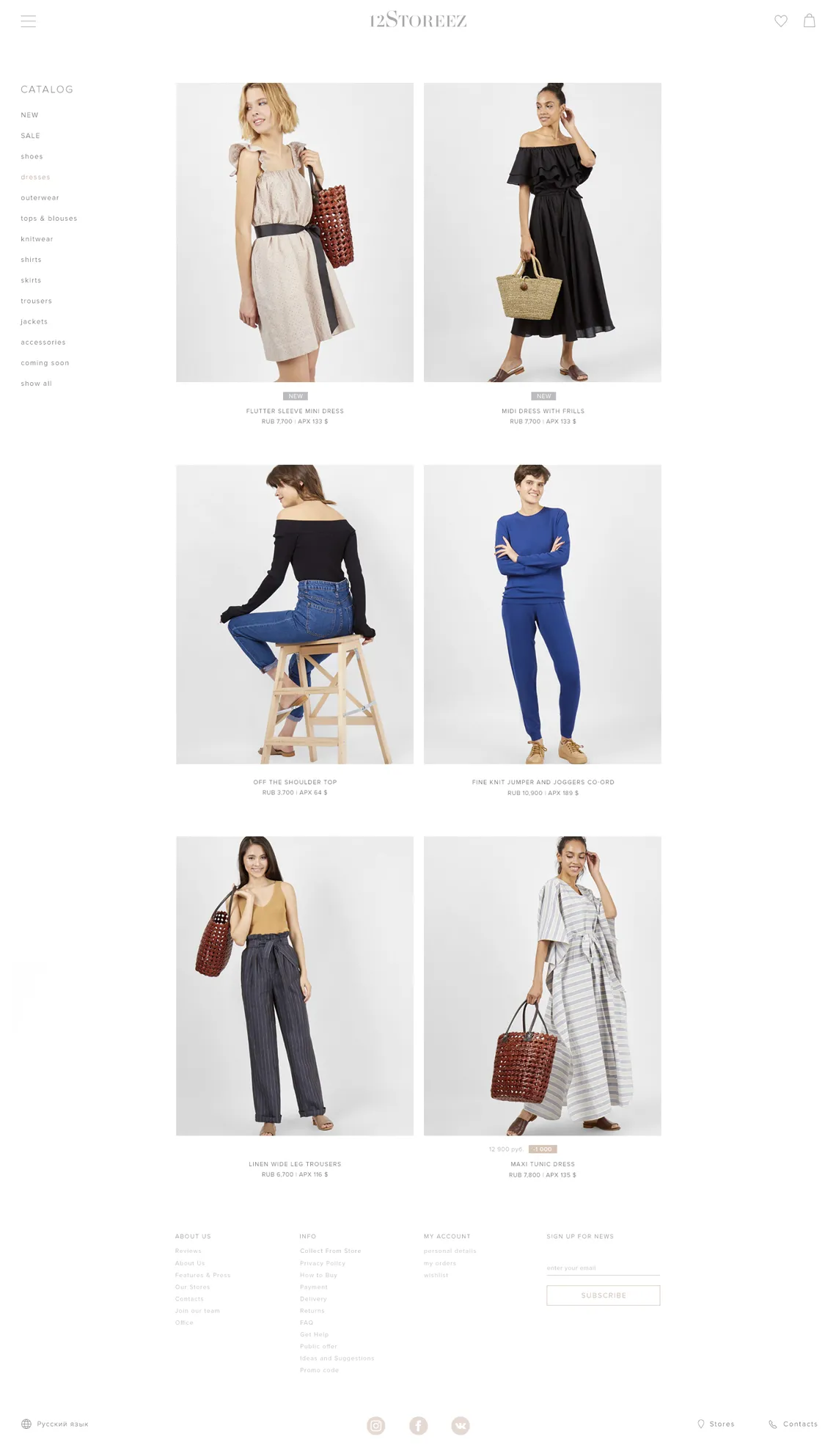
When we designed an online store for fashion brand 12STOREEZ, the collections had a distinctive rhythm: twelve new releases a year, with up to twenty items in each category at the time of the project.
Rather than adding conventional catalog filters, we removed them. With such a manageable selection, shoppers could browse the items directly. Large product photographs gave each piece more space and made the catalog feel closer to an editorial collection than a database.
For Bizar, an online marketplace for contemporary art, the same decision would have made browsing harder. The platform brought together thousands of artworks that differed in medium, dimensions, subject, and color. A visitor might know the size of an empty wall or the dominant color of a room, but not the name of an artist.
We introduced filters for price, art technique, subject, size, and prevailing color, as well as a smart search that could interpret descriptions such as “turquoise landscape” or “under 10,000 rubles.” Bizar also offered curated and personalized selections as other paths into the catalog.
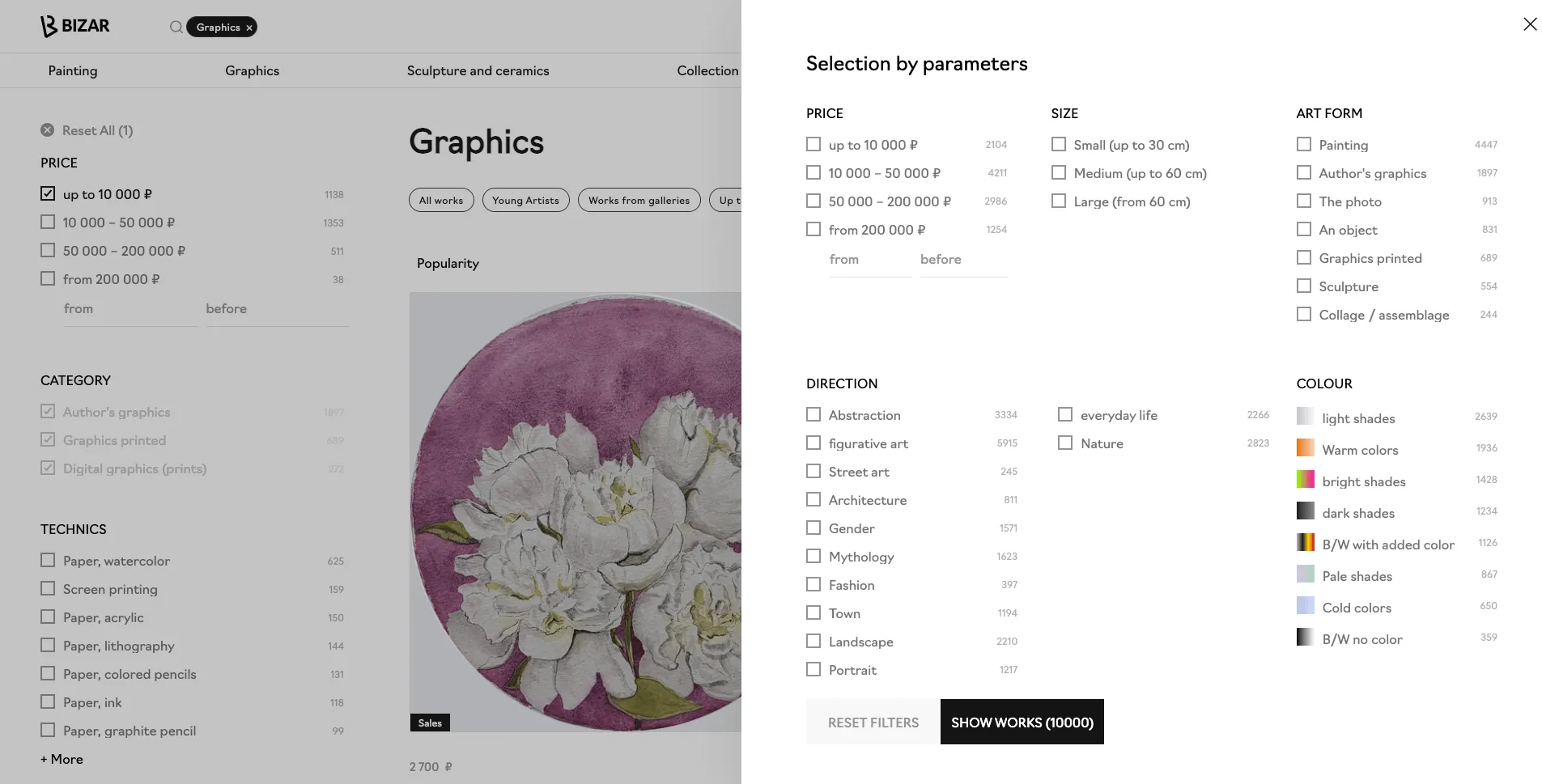
These are opposite interface decisions, but not opposite design principles. In both cases, the goal was to reduce the work required to find a suitable product. The amount of navigation should follow the nature of the assortment, rather than an e-commerce template.
How to Present Products Online When Customers Can't Touch Them
Finding a product is only the beginning. Before buying it, people need to understand what it is really like.
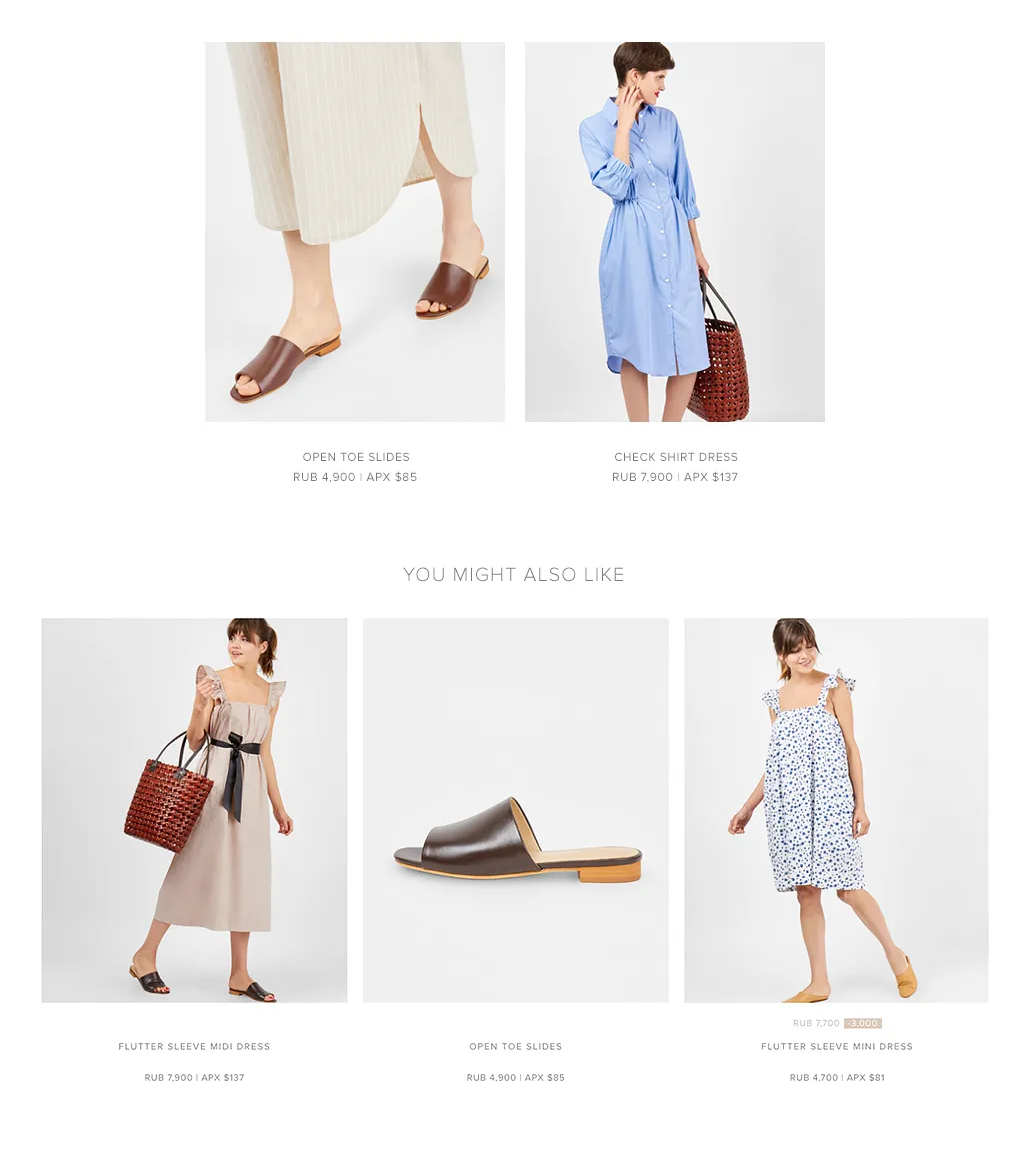
On a fashion website, that often means seeing how clothes fit, what colors are available, and what they look like together. For 12STOREEZ, we used multiple product angles and links to complementary items. We also created a flexible lookbook in which the brand could arrange photographs freely and link the pieces in each outfit to the relevant product pages.
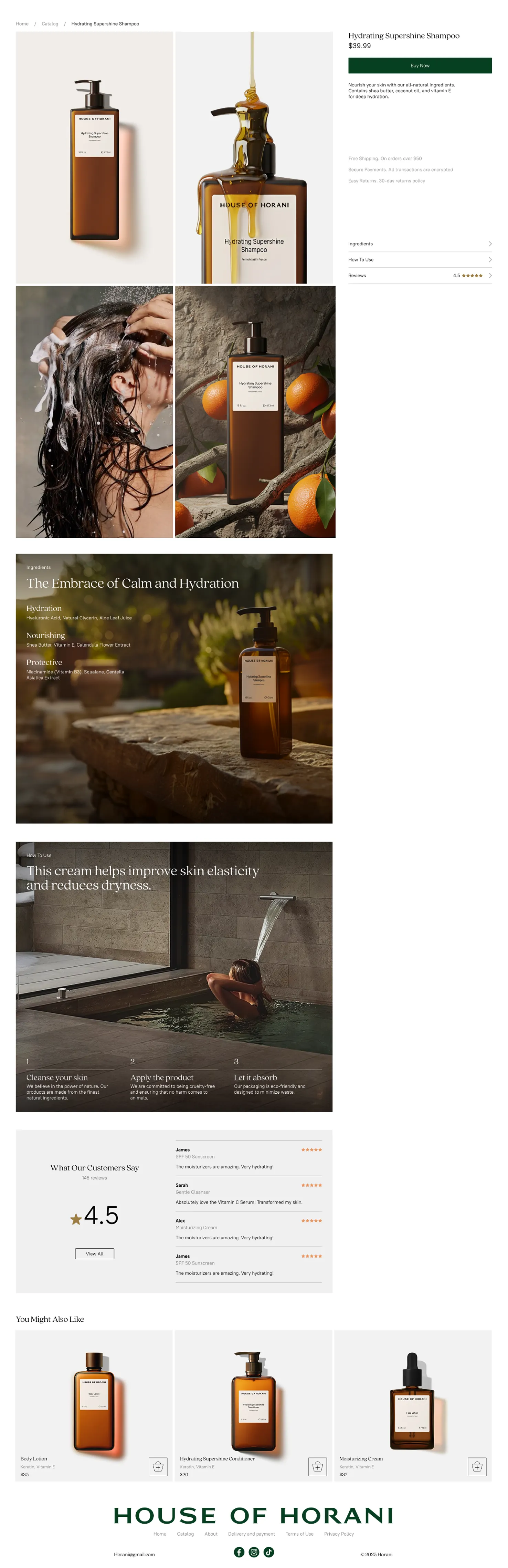
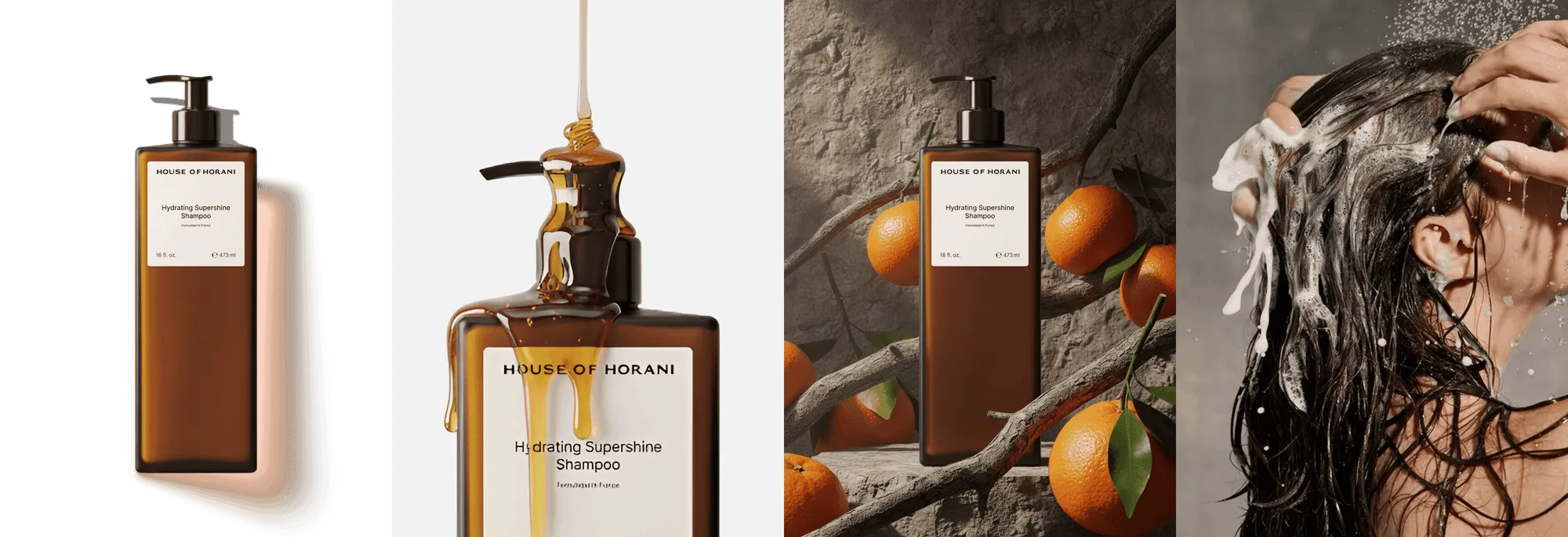
Years later, the founders of premium cosmetics brand House of Horani approached us after seeing that earlier project. They liked how strongly the visuals engaged shoppers. But a cosmetics store couldn't simply borrow the same visual language: the product and the questions surrounding it were different.
At first, we explored a more product-heavy storefront. After discussions with the founders, we moved toward larger visuals and a calmer flow, giving the products more room to become part of the brand's world.
For product pages, we developed an approach we called synesthesia: trying to communicate the sensory qualities of a product visually. Each product was presented through four kinds of imagery: the packaging, its application, its physical texture and movement, and the ingredients or scents associated with it. Catalog cards also revealed additional close-up imagery on hover.
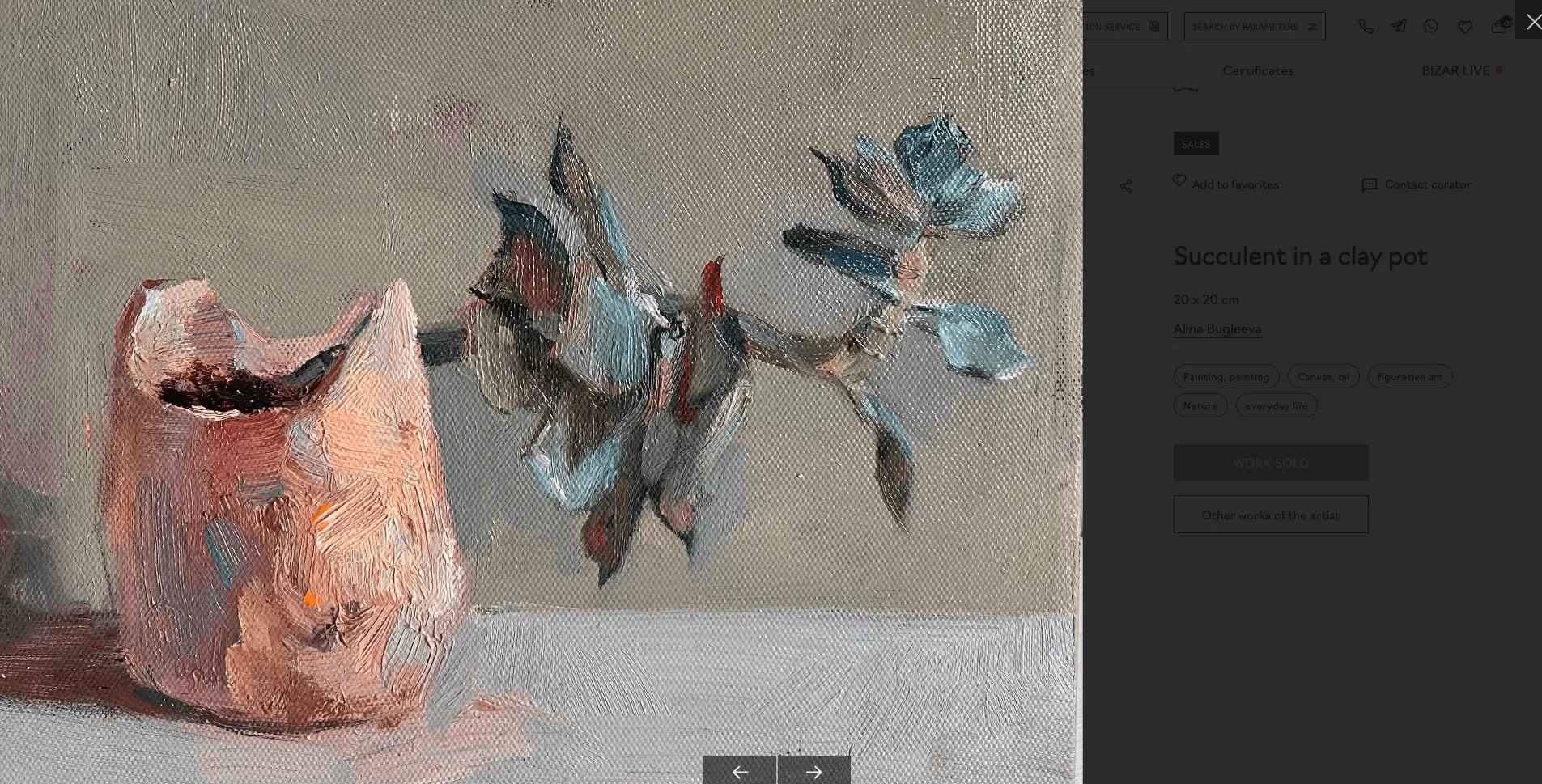
An art marketplace creates yet another challenge. No photograph fully replaces viewing an original painting. In Bizar, we supported closer inspection of artworks and introduced a framing calculator so a buyer could choose a frame, glass, or passe-partout before ordering.
None of these choices guarantees a purchase. They do, however, make product information more useful by addressing what a customer would otherwise try to learn in a physical shop.
How to Turn Product Discovery into Online Purchases
People don't always arrive at an online store with a precise product in mind. A fashion photo might suggest an outfit; a painting may catch someone's attention before they know where to hang it.
For 12STOREEZ, social content was an important starting point. At the time of the project, a large share of mobile traffic came from Instagram, where the brand presented its new collections. We connected that content to the website: published photos could be brought into the CMS and associated with items in the catalog. Someone inspired by a look could move toward the actual products instead of searching for each piece from scratch.

For Bizar, the equivalent bridge was discovery. Its recommendation system considered works a visitor had viewed and helped surface other pieces with similar characteristics. Meanwhile, curated selections gave people a way to explore the catalog without starting from a blank search field.
.webp)
These features look different, but they solve a similar problem: inspiration is valuable only when the interface helps people act on it.
How to Simplify E-commerce Checkout
Discovery can be open-ended. Checkout usually shouldn't be.
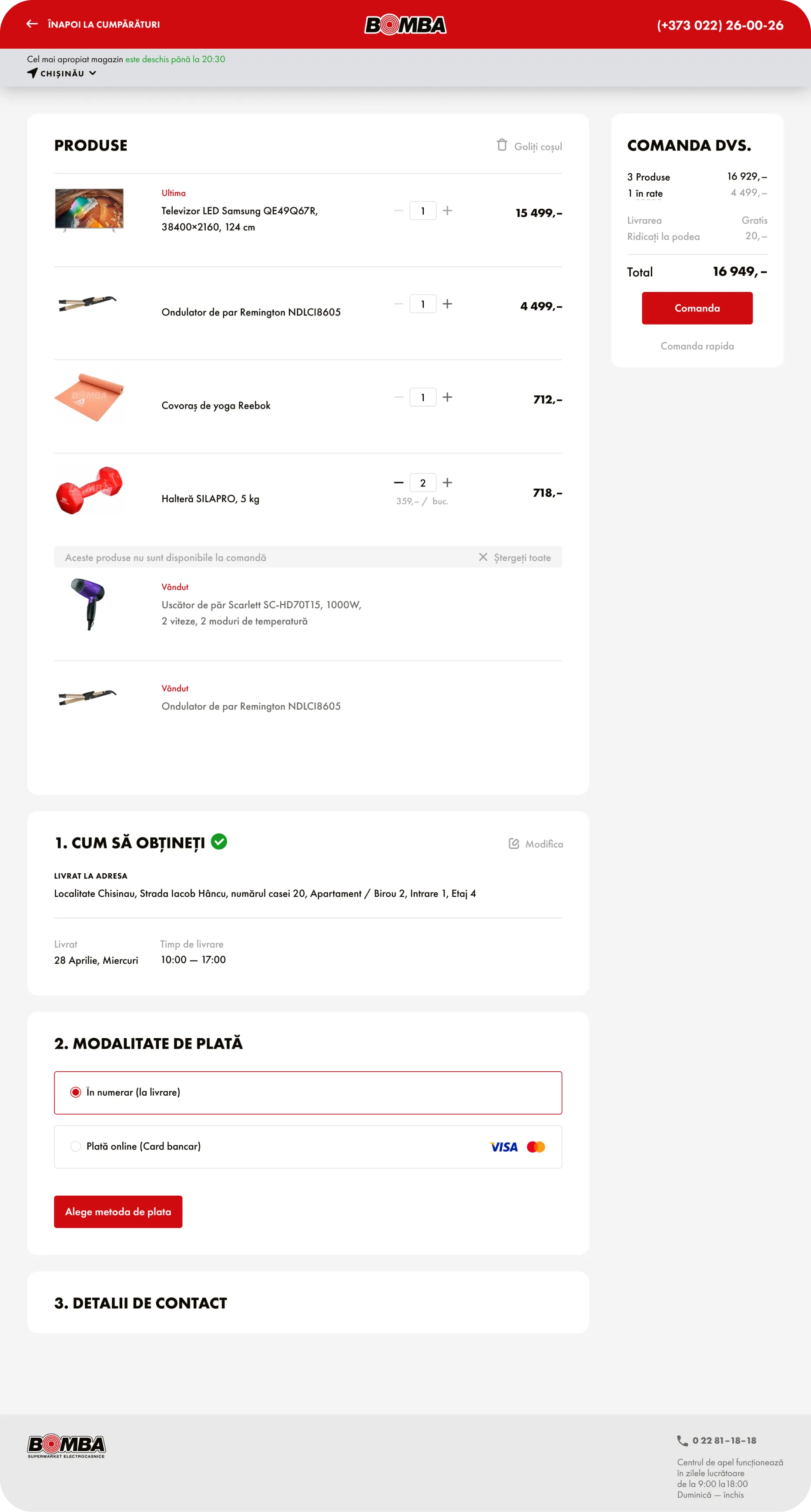
For electronics and household goods retailer Bomba, the website was growing from an online storefront into a broader marketplace. The assortment included more categories, more partners, and frequent promotional campaigns. The homepage needed to show this range and highlight current offers, but the cart needed a different kind of attention.
We redesigned the path through the cart to make it simpler and reduce distractions from completing an order. Mobile use was central to the project: according to the client's analytics at that time, 70% of traffic came from mobile devices.
The team also designed interfaces for self-service terminals in physical stores. That required revisiting familiar website interactions for a different situation: a standing customer using a touchscreen, with different requirements for text size, on-screen keyboards, and touch controls.
This was a reminder that an interaction is not “good UX” in isolation. A pattern that feels natural while browsing on a phone may need to change when the customer is placing an order or using a kiosk.
How Backend Integrations Affect E-commerce UX
Some of the most important parts of e-commerce UX are practically invisible.
When we joined the project for jewelry brand Avgvst, the site was already mostly built and the business was preparing to open a physical store in Berlin. Our role was to improve and develop the existing product, including the systems needed to support sales across channels.
One of the central challenges was connecting two payment systems, two CRM systems, and an ERP system. That work began with understanding the client's operations, not with designing another screen. It was about making the different parts of the business work together.

A similar issue had appeared in 12STOREEZ. With new collections arriving every month, inventory could change quickly during launches. We integrated the website with the CRM and stock-tracking system so customers could see availability by size and color and staff could track inventory during peak demand.
A storefront can look polished and still disappoint a buyer if the product they ordered isn't available or if the ordering process fails. UX includes these promises being kept, even when the supporting work happens far from the screen.
How to Choose the Right UX for Your E-commerce Store
Looking across these projects, there is no single feature that defines a successful online store. We removed filters for one brand and created sophisticated search for another. We linked fashion photography to shoppable products, used sensory imagery to introduce cosmetics, simplified a marketplace checkout, and built integrations that customers would never see.
Each decision came from a different combination of products, customer expectations, and business processes. These examples explain our design reasoning; they aren't proof that any single UI feature was responsible for a commercial result.
The useful question isn't “What should every e-commerce website have?” It's “What does this particular customer need in order to choose and buy this particular product?”
That's where we start at JetStyle — whether we're designing a new storefront, improving an existing shopping experience, or developing the systems that support it.
Working on an e-commerce product? Let's discuss your project.