

VR Prototyping with Verge3D: Faster Testing of XR Interaction Logic
At JetStyle, we’ve been building XR products for business since 2016 — from VR rides and training tools to mixed reality systems and experimental prototypes.
Across all these projects, one challenge keeps repeating:
VR interaction is hard to design without seeing it in motion.
That’s why we constantly look for tools that help us test spatial mechanics earlier, reduce iteration cycles, and avoid unnecessary development work. Read more on our website
One of the most interesting tools in this area right now is Verge3D. In this article, our VR Art Director Kostya Ostro shares how we use it and what benefits it brings to our prototyping workflow.
What Is Verge3D and Why We Use It for Prototyping in VR
Verge3D is a platform designed for working with 3D content in immersive environments made by Soft8Soft, a team of incredible innovators. JetStyle has partnered with Soft8Soft for a variety of projects for several years now. Verge3D allows users to bring assets from tools like Blender into a web-based XR scene.
What we really love is Verge3D Puzzles, a visual logic system for building interaction behavior.
Instead of writing traditional code, you construct logic through a node-based system:
- events
- conditions
- triggers
- object interactions
- spatial responses
As Kostya points out, standard nodes can also be extended with vibe coding. You can add puzzles with custom code snippets when the logic gets more specific. This is one of the things that makes the workflow so flexible: simple interactions can be built with puzzles, while more complex behavior can be added with code. It works well for designers with different levels of technical experience.
This becomes a form of visual programming for VR prototypes. We quickly simulate spatial interactions without a full development cycle.
Why Verge3D Works for XR Interaction Design
VR design is more than just visuals. It also focuses on spatial relationships, physical timing, user attention and movement. These things are extremely hard to evaluate in static design tools. Using Verge3D Puzzles, we can:
- test interaction logic directly in VR
- simulate hover, click, and controller events
The workflow can be slightly demanding at first, because we publish prototypes through GitHub and Vercel. But our designers were able to handle it, and today this kind of setup is becoming a must-have skill for working with vibe coding.
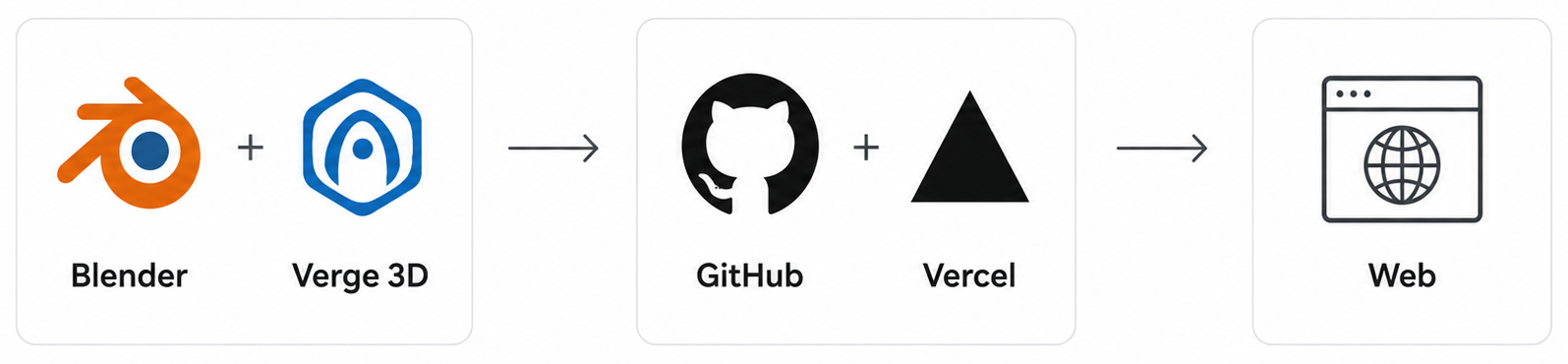
At the same time, publishing prototypes to a web staging environment gives the whole team a major advantage. You can simply send a link in a chat, and people can open the prototype without installing an app, requesting scene access, or setting up extra tools. GitHub also gives us version control, so we can save prototype versions and switch between them when needed.
- attach behavior to objects in space
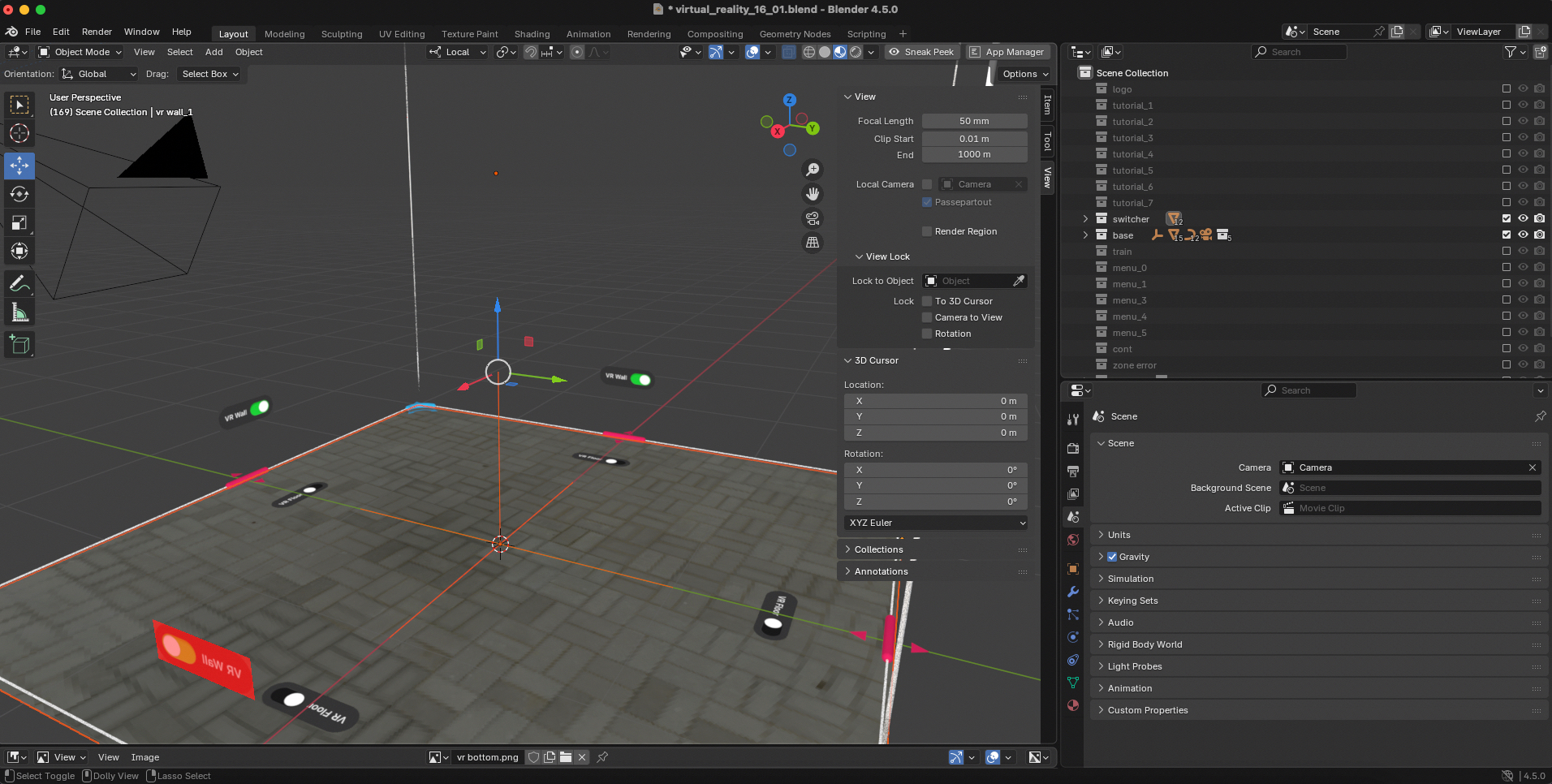
- build quick functional prototypes without full engineering setup
Another important benefit is that a prototype can work like a state machine. Its states can be built from smaller substates, instead of being just a linear set of scenes.
Compared to many similar tools, Verge3D also has a very convenient model export workflow. It is fast and practical when you need to bring your model into VR and check how it works in space.
This makes Verge3D especially useful in early-stage XR design. The web format is also useful because some parts of the prototype can be reviewed on desktop, with certain limitations. This makes early feedback easier to collect.
Testing Interaction in VR
One of the use cases where this workflow becomes especially useful is our product development — BIM VR, a system that anybody can use for working with building information models (BIM) in VR.
In VR, even simple interactions like selecting objects or hovering over elements can become complex when implemented in full production systems.
With Verge3D, we prototype these mechanics early.
Why Visualization Helps to Improve VR Design
A key insight from using tools like Verge3D:
In VR, interaction design is not something you describe, it is something you simulate.
Once you can attach logic directly to objects and behaviors, you immediately see what feels intuitive, what breaks spatial expectations, what is too complex for users, and what needs simplification. This reduces guesswork and speeds up decision-making.
From a business perspective, this approach directly impacts cost and speed. By testing VR interaction logic early, we can:
- validate ideas before full production
- reduce unnecessary development cycles
- avoid building mechanics that do not work in practice
- shorten time to MVP.
Verge3D also gives us a lot of flexibility when working with GUI elements, shaders, and animations. Some other tools do not allow this level of control. Here, the workflow is convenient because everything is exported from Blender in a practical and manageable way.
Tools like Verge3D are important because they allow us to move from static design to functional interaction testing much earlier in the process. In VR development, earlier validation always means better products at lower cost.
If you have an idea for a VR product, or you’re thinking about how to integrate VR into your workflow, we can explore it together. All interaction logic, features, and assumptions can be tested and discussed in real time, in a working prototype, instead of being explained “on paper.” This makes decisions faster, clearer, and much more grounded in what users actually experience.
Write to us at orders@jet.style or book a call with JetStyle