Let’s talk
expert

Creating, editing and discussing large documents in a team

Sheet of paper with decorative black floral borders and the word 'Documents' in a calligraphic font at the center.
Graphic showing the anatomy of a webpage highlighting the clickable area of a button, consisting of the user interface (UI) between the visual button and the user’s pointer.Illustration showing the concept of deferred revenue with a blue document icon, text bullets, and a progression arrow.
Two men wearing face masks unpacking groceries in a kitchen, with one placing food in the refrigerator and the other holding a ladle.
User interface of NOTO platform showing recent events, marked documents like ISTE Standards, project proposals, and documents with user participation.

Client

The Association “National Society of Technology in Education” (NOTO) is a community of teachers who strive to make education in Russia more technological and advanced.

NOTO is a partner of many educational organisations and developers of solutions for schools and universities.

NOTO’s mission is to improve the educational environment, implement the latest technologies in education and increase the digital competencies of teachers.

Project objectives

To provide NOTO with the ability to create documents that will become laws or will be used for teachers’ training manuals.

Challenge

To create a tool for joint development of documents by all members of NOTO.

Заказчик

Ассоциация «Национальное общество технологий в образовании» —сообщество преподавателей и учителей, которые стремятся сделать образование в России технологичным и передовым.

НОТО — партнермножества образовательных организаций и разработчиков решений для школ и университетов.

Миссия НОТО — усовершенствовать образовательную среду, внедрить новейшие технологии в образование и повысить цифровые компетенции учителей.

Цель проекта

Предоставить НОТО возможность создавать документы, которые станут законами или пойдут в учительские методички.

Задача

Создать инструмент для совместной разработки документов всеми участниками НОТО.

01

Idea

We thought that this task would be best solved by something that is functionally similar to applications for remote collaboration.

And we created such a program from scratch. This was the only way we could take into account all the tasks and peculiarities of the processes in NOTO.

02

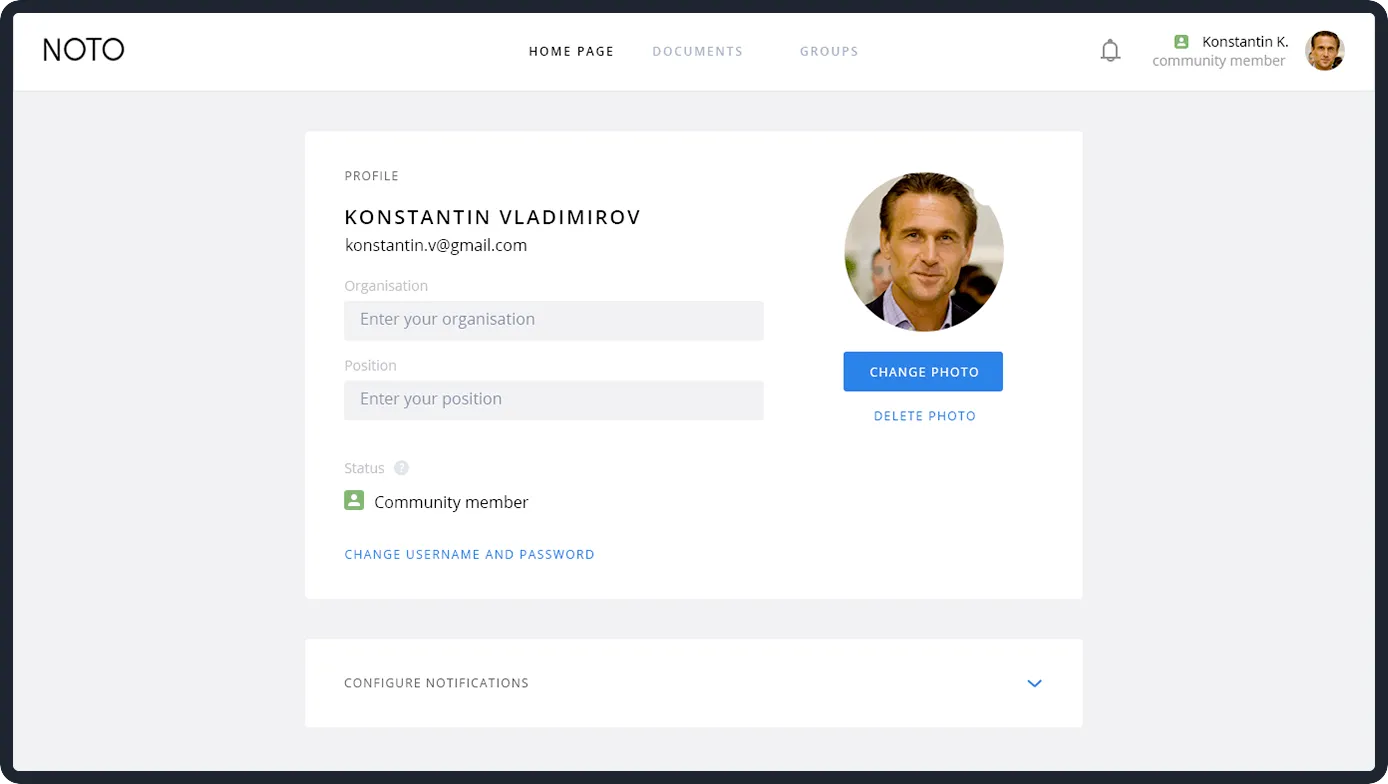
Profile

Each member has a profile card.

User profile page showing Konstantin Vladimirov with email, empty fields for organisation and position, profile photo, status as community member, and options to change photo and password.

Optionally, the user can choose a status badge for others to understand what role he or she plays in the development of projects.

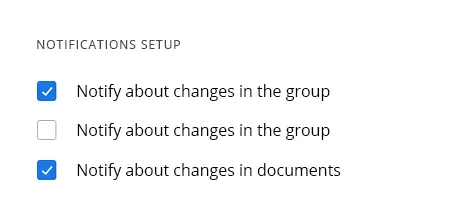
They can also set up notifications to receive only the important ones.
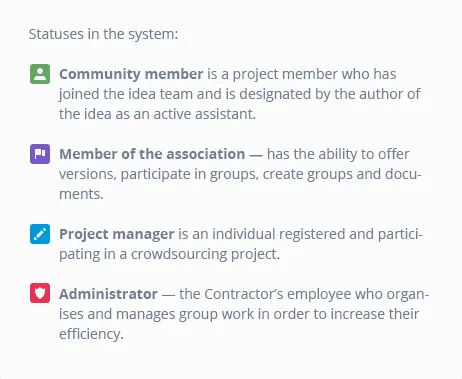
List explaining system statuses for Community member, Member of the association, Project manager, and Administrator with icons.Notification setup with three options: two checked boxes for 'Notify about changes in the group' and 'Notify about changes in documents,' and one unchecked box for 'Notify about changes in the group.'

Later, all versions of documents that the user takes part in, and all their comments will appear in the profile.
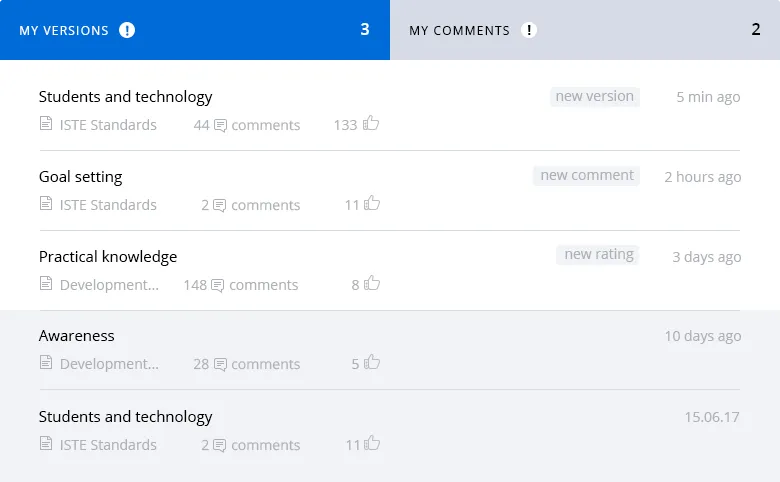
User interface showing 'My Versions' with 3 entries and 'My Comments' with 2, listing topics like Students and technology, Goal setting, Practical knowledge, Awareness with timestamps and comment counts.
03

Dashboard

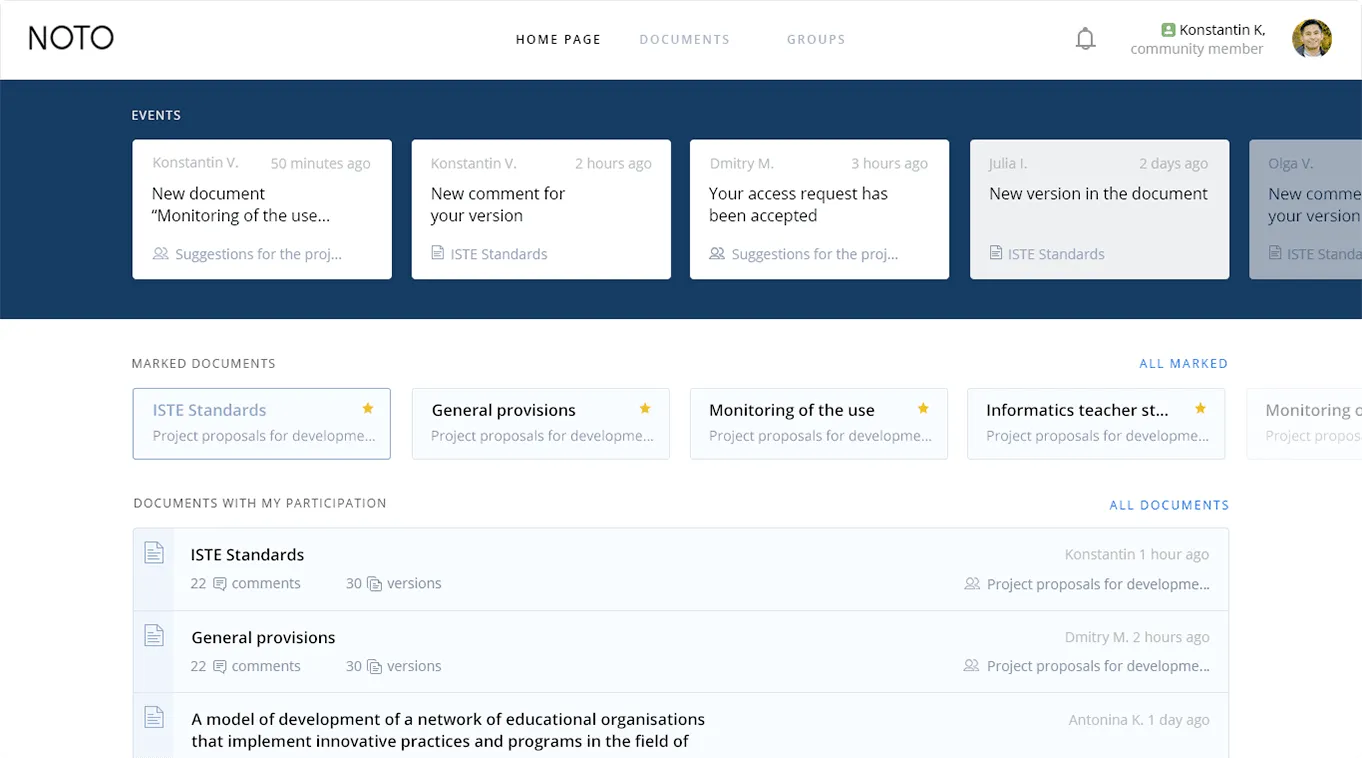
Everything that users need is located on the dashboard, they can go directly to all sections of the system.
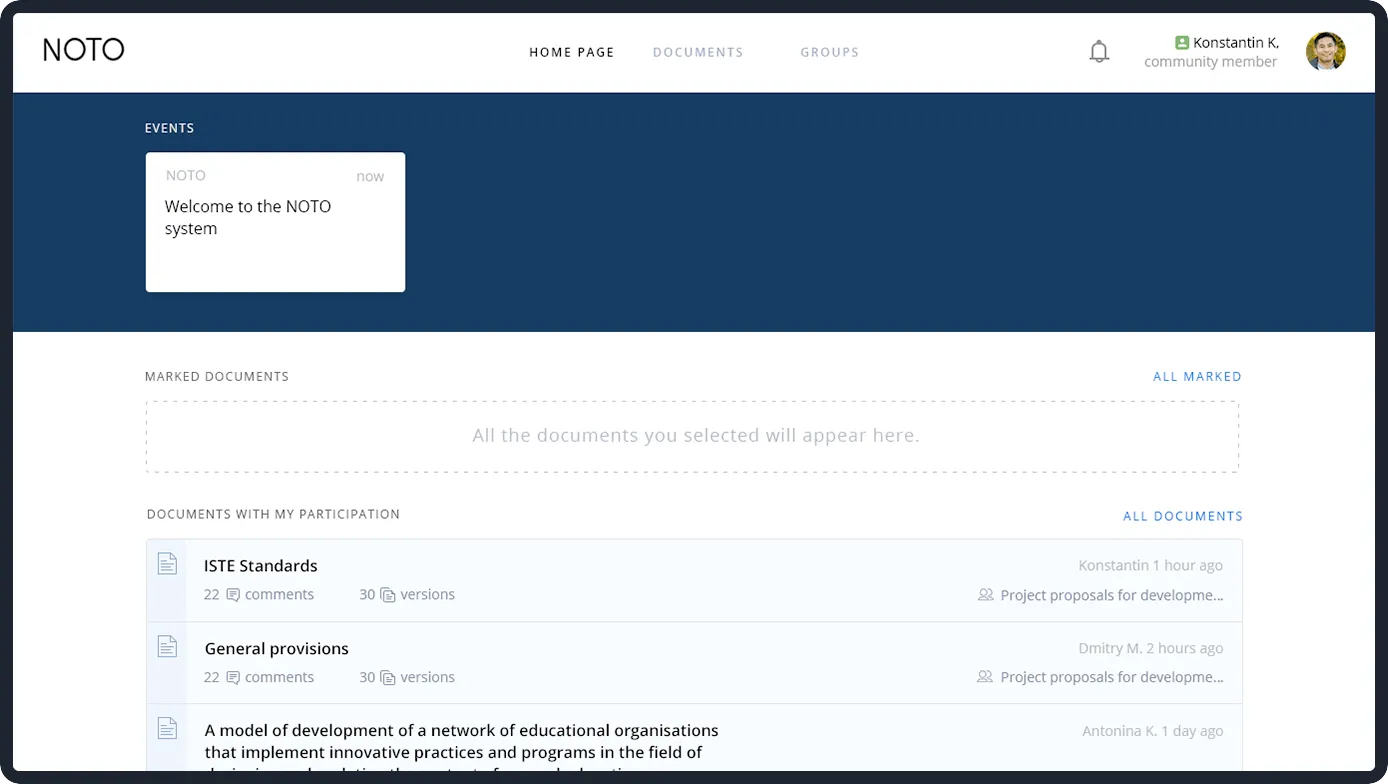
Screenshot of NOTO system homepage displaying events, marked documents section, and documents with user participation including ISTE Standards and General provisions.

As soon as the user joins the development of documents, they appear on the main page.
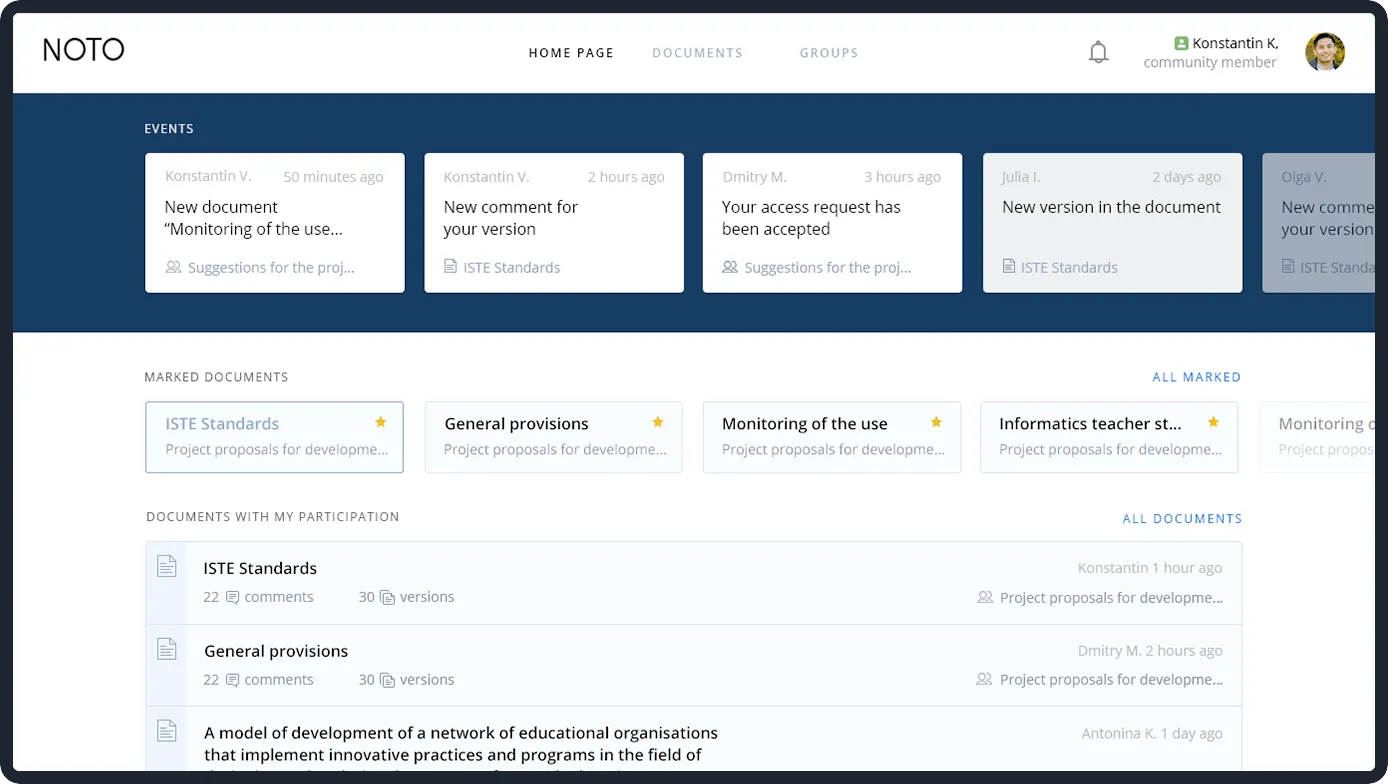
Screenshot of NOTO document management interface showing recent events, marked documents, and documents with user participation including ISTE Standards and General provisions.
04

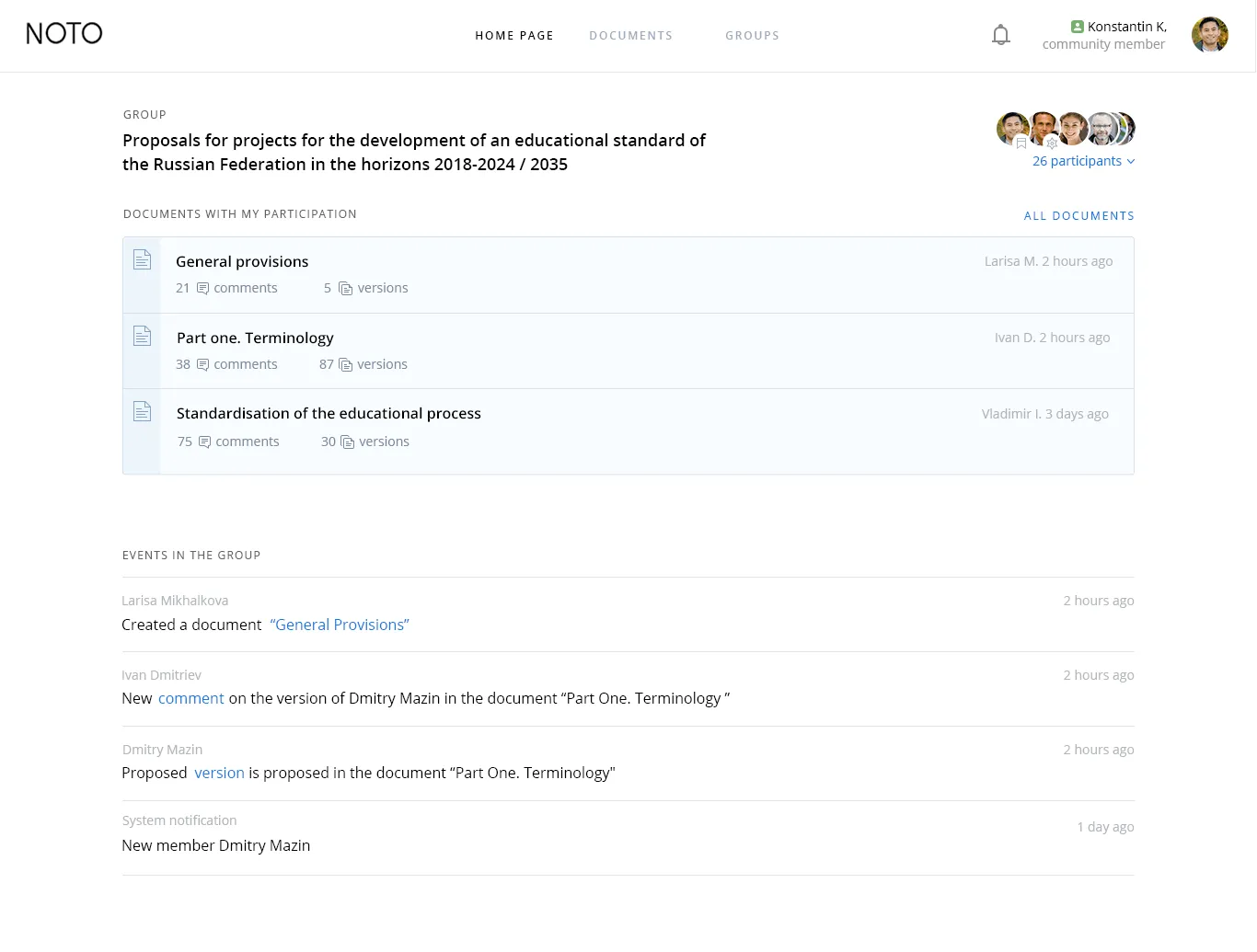
Groups

In order to become a full member of NOTO Expert, users join groups:

groups by profile

groups by purpose
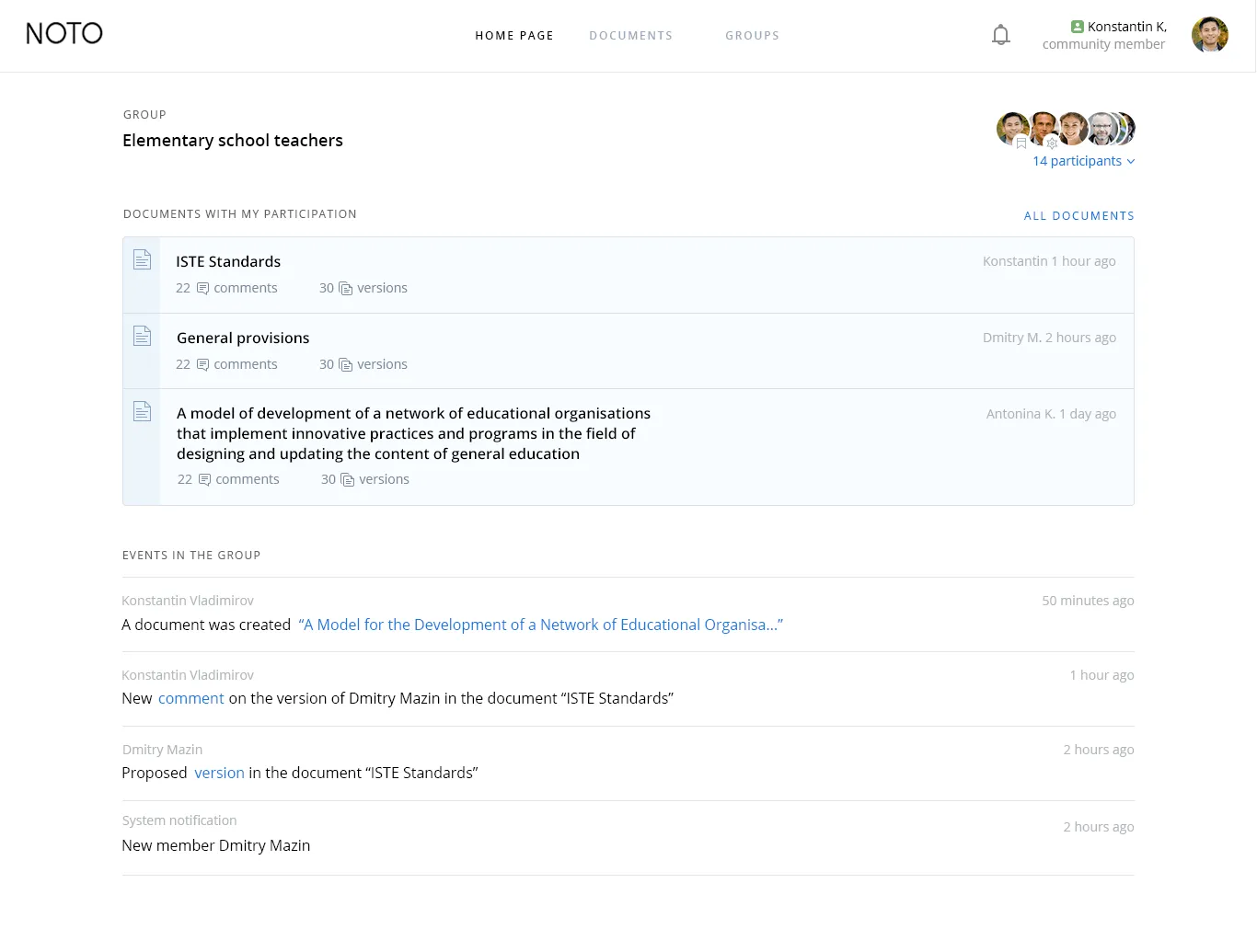
Noto group page for Elementary school teachers showing documents ISTE Standards, General provisions, and a model of educational development, with recent group activity updates and participant avatars.
группы по цели
Web interface of NOTO showing a group for proposals on Russian educational standards with three documents listed, participant icons, and recent group events.

Participants can create groups themselves. Any participant can start a group and:

invite all current members
of NOTO Expert,
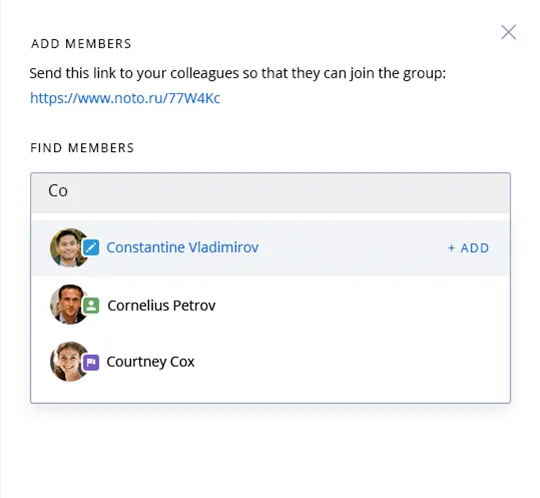
User interface for adding group members with a link to invite colleagues and a search box showing three suggested members: Constantine Vladimirov, Cornelius Petrov, and Courtney Cox.

send an email invitation to those who are not yet registered in NOTO.
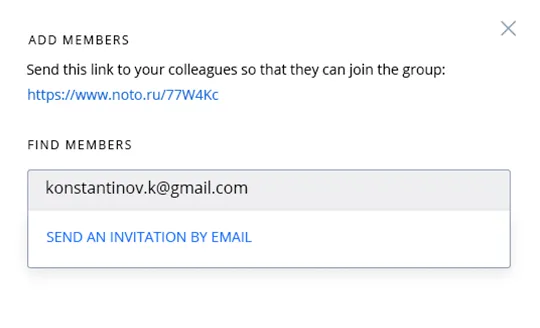
User interface for adding members to a group, showing a shareable link and an email invitation input with the address konstantinov.k@gmail.com.
05

Documents

In this section, the users of the system can see a list of documents they are involved with.

In order for the user not to get confused in a huge number of similar documents and their editions, we have divided them into current and archived ones.
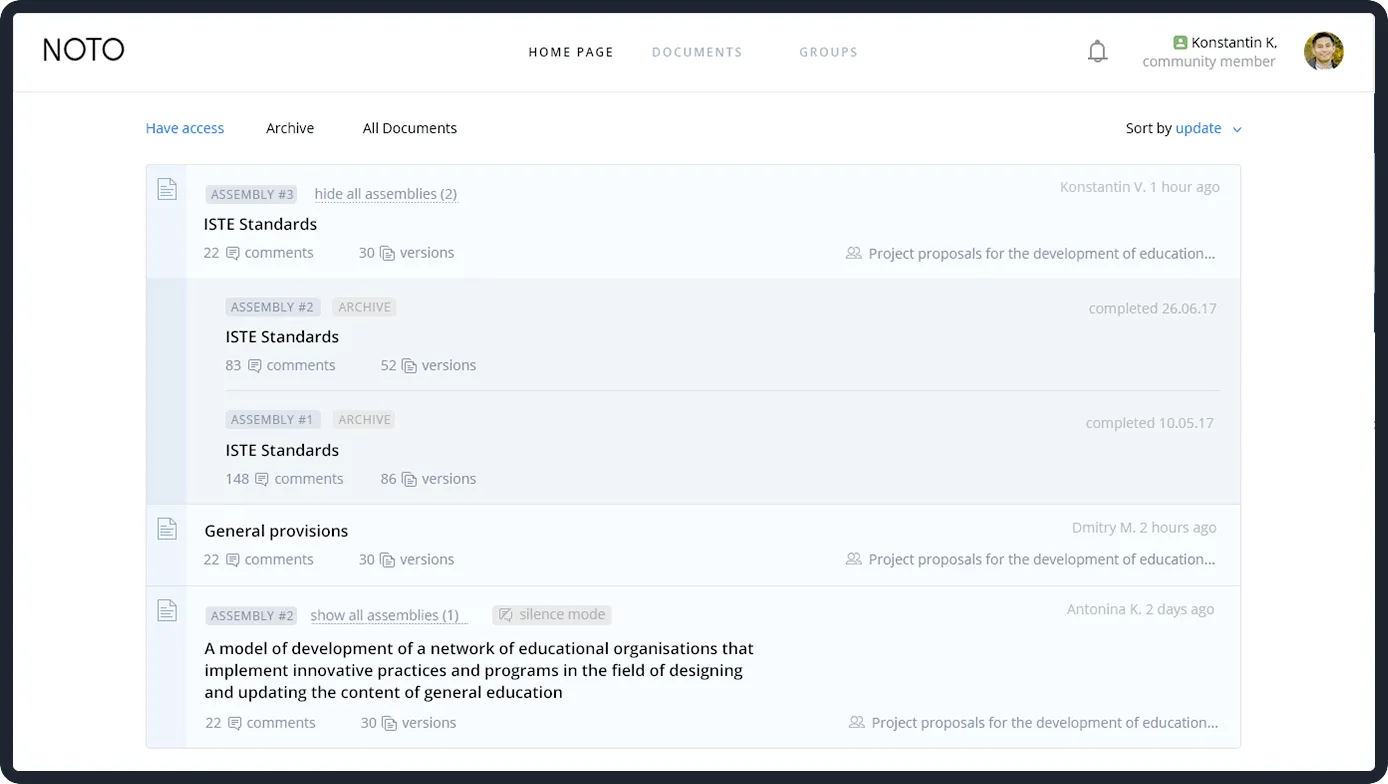
Webpage interface of NOTO document management showing listed educational documents with comments, versions, assembly tags, and user information.
06

Favorites

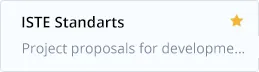
The user marks important groups and documents with a star, and they appear on the main page. This way, they are easy to find and hard to lose.

User interface showing ISTE Standards assembly with 22 comments, 30 versions, created by Konstantin V. one hour ago.A snippet of a document or project interface titled 'General provisions' with 22 comments and 30 versions, showing a model for developing a network of educational organizations focusing on innovative practices and updating general education content.
Text reading 'ISTE Standarts' with a star icon and partially visible subtitle 'Project proposals for developme...'.Text reading 'ISTE Standarts' with a star icon and partially visible subtitle 'Project proposals for developme...'.Text reading 'ISTE Standarts' with a star icon and partially visible subtitle 'Project proposals for developme...'.Text reading 'ISTE Standarts' with a star icon and partially visible subtitle 'Project proposals for developme...'.
07

Creating a document

создание
документа

Each member can create their own document – to open it directly in the service or download the ready one in Excel or JSON format.
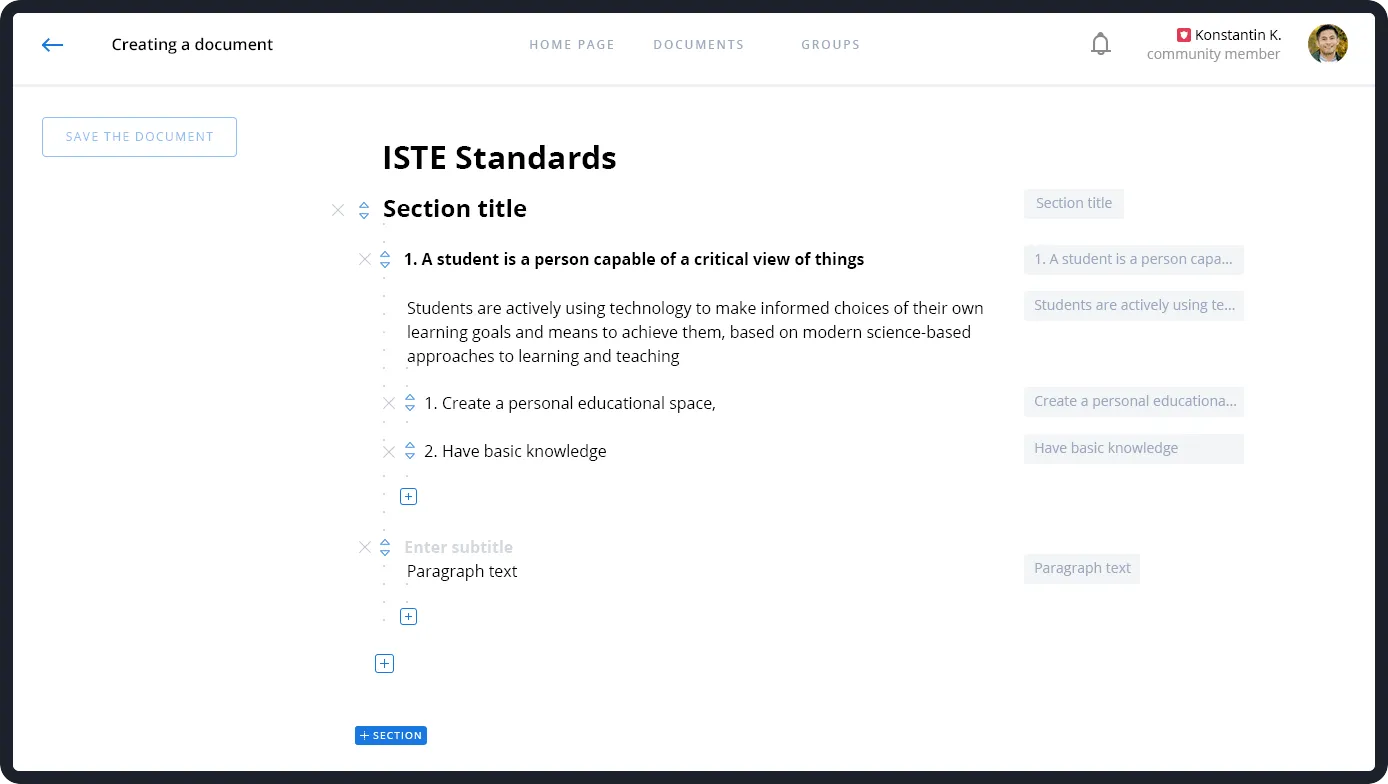
Document editor interface showing a section titled ISTE Standards with a subsection on students using technology for learning goals, including points about creating a personal educational space and having basic knowledge.

The next step is to invite groups to join its development. If the group administrator accepts the invitation, all members of the group get access to this document.
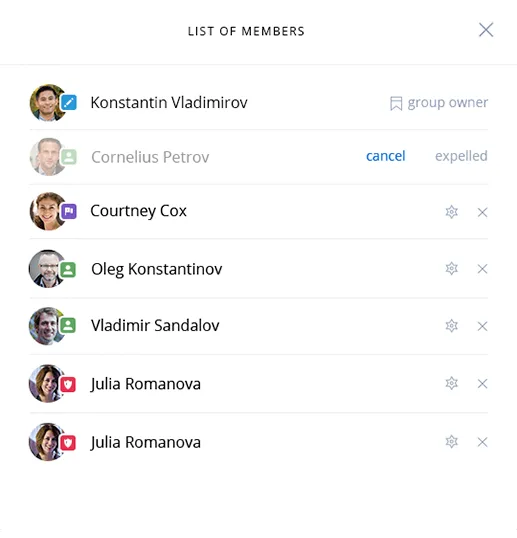
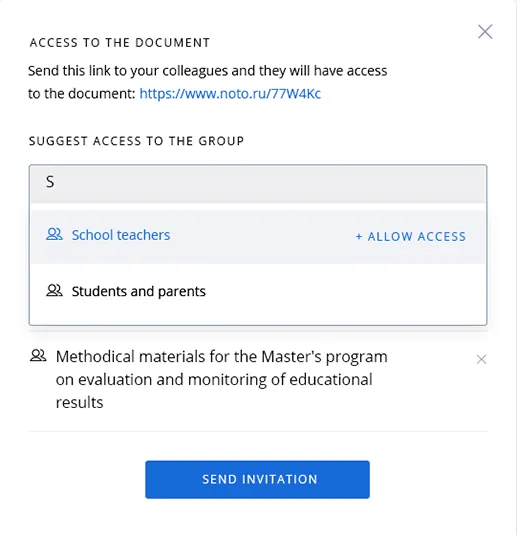
List of members showing profile pictures, names, roles like group owner, and status icons such as cancel, expelled, and favorites.Dialog box for sharing document access with a link and option to suggest groups like school teachers or students and parents, with a blue Send Invitation button.
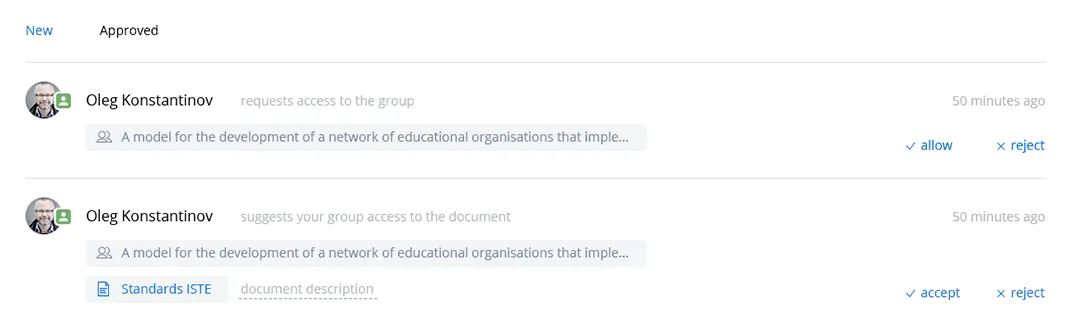
Two notifications from Oleg Konstantinov requesting group access and suggesting group access to a document with options to allow or reject.
08

Discussion

This is where the main part begins. Participants modify the original document – both its separate parts and the structure as a whole:

suggest new versions of paragraphs;
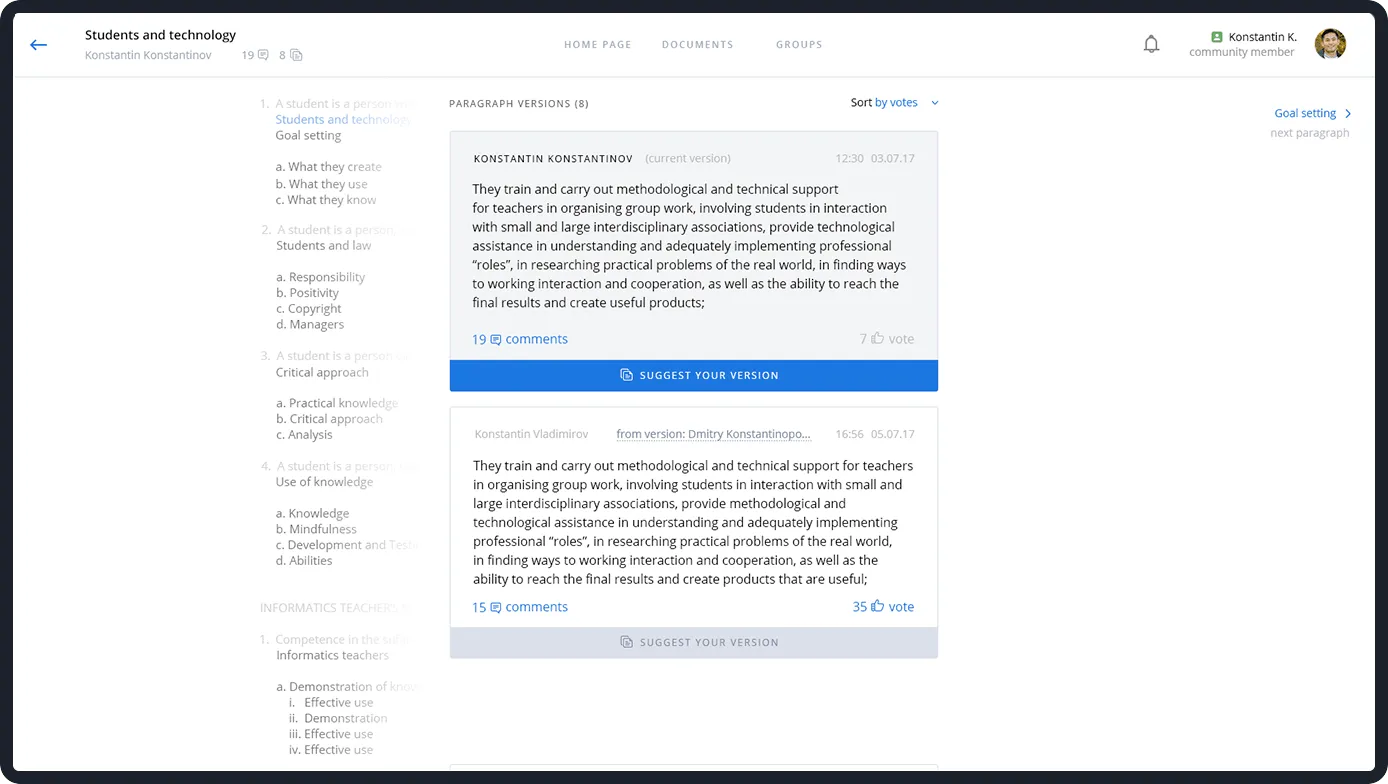
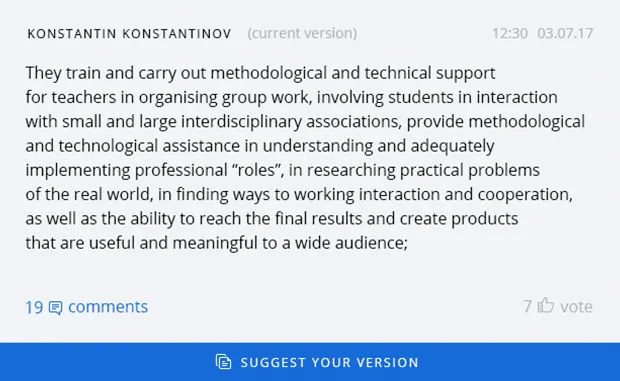
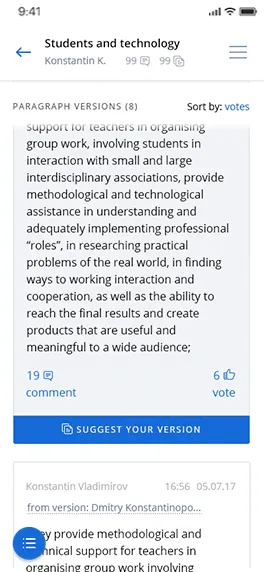
Web page showing two versions of a paragraph discussing methodological and technical support for teachers in group work and interdisciplinary associations, with options to comment, vote, and suggest versions.

comment on the original paragraphs and their versions suggested by other members of the group;
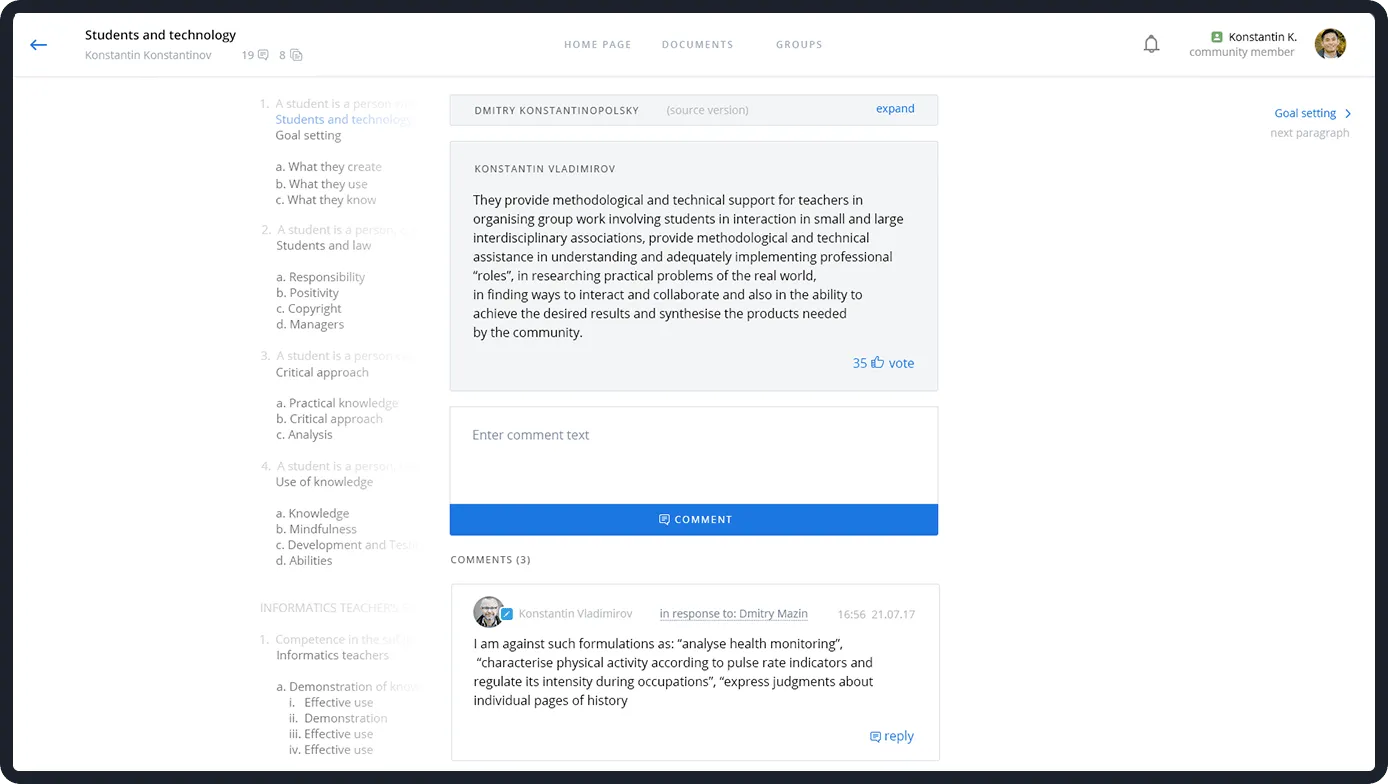
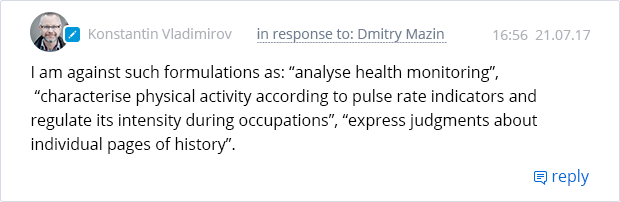
Online discussion forum titled 'Students and technology' showing a post by Konstantin Vladimirov about methodological support for teachers, with a comment responding critically to certain formulations related to health monitoring and physical activity.Comment input box showing a reply to Olga Vershinina with placeholder text 'Enter comment text' and a blue 'Comment' button below.

like the paragraphs that they consider optimal.
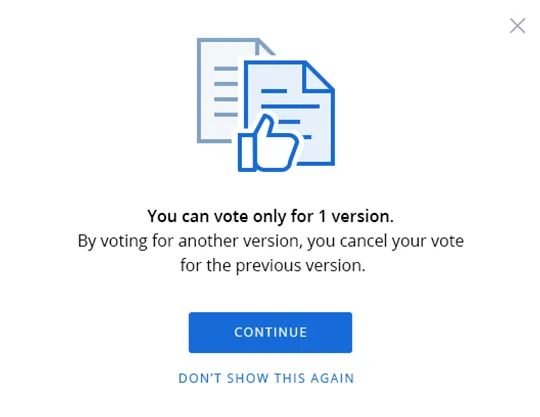
Dialog box with an icon of two documents and a thumbs-up, stating you can vote only for one version and a blue Continue button below.
08

обсуждение

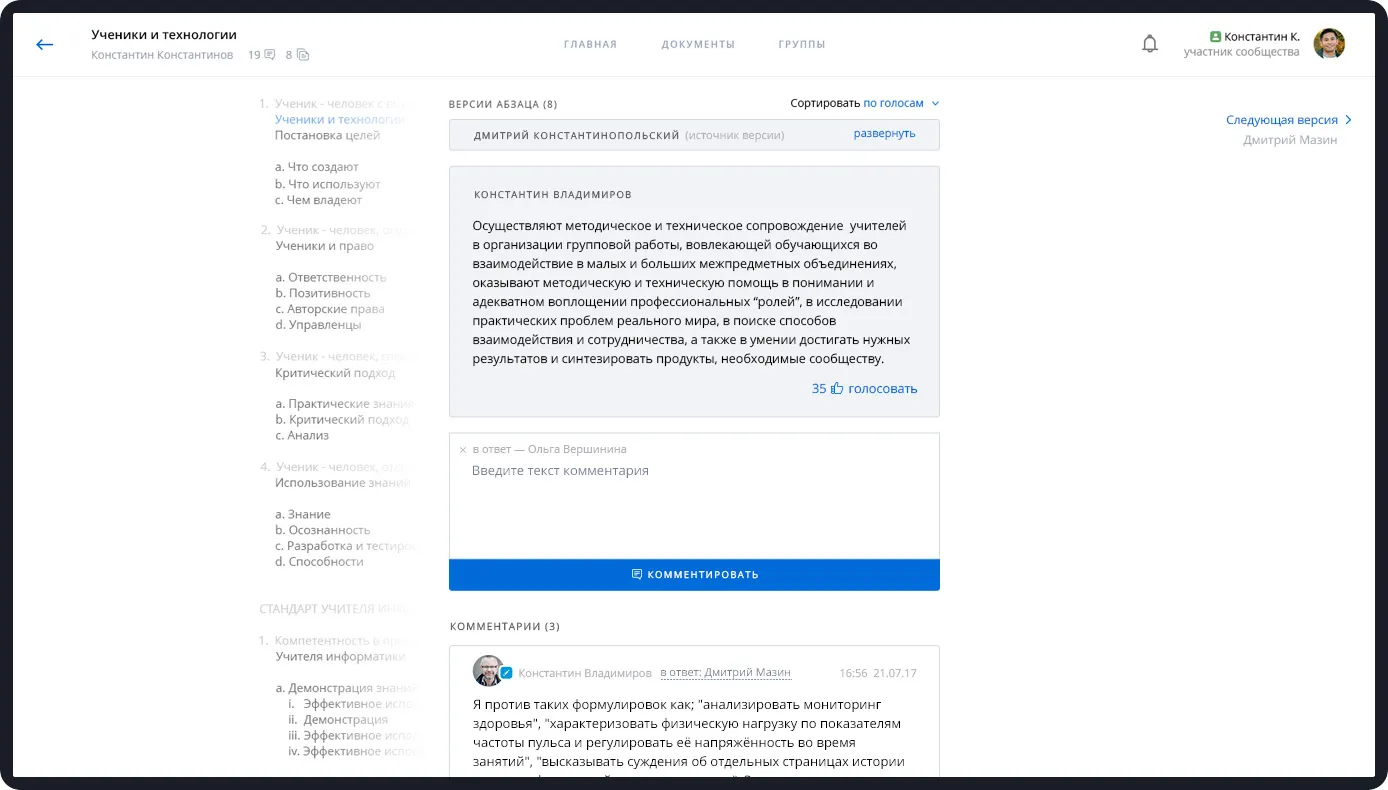
Здесь начинается все то, ради чего был затеян проект. Участники дорабатывают оригинальный документ — как отдельные его части, так и структуру в целом:

предлагают новые версии параграфов;
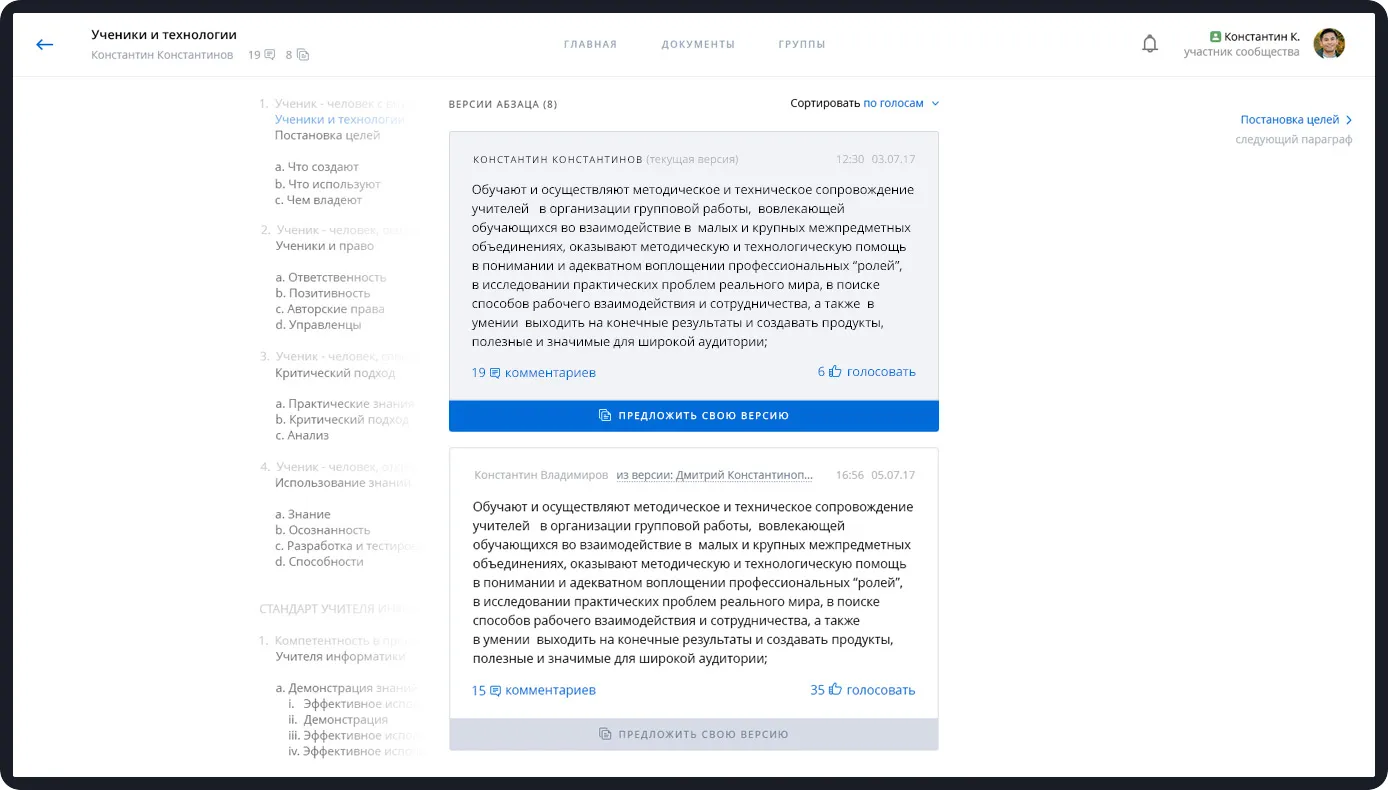
Screenshot of a discussion forum page in Russian titled 'Ученики и технологии' showing two versions of a paragraph discussing methodological and technical support for teachers in organizing group work and interaction across disciplines, with comments and voting options.

комментируют исходные параграфы и их версии,
предложенные другими участниками группы;
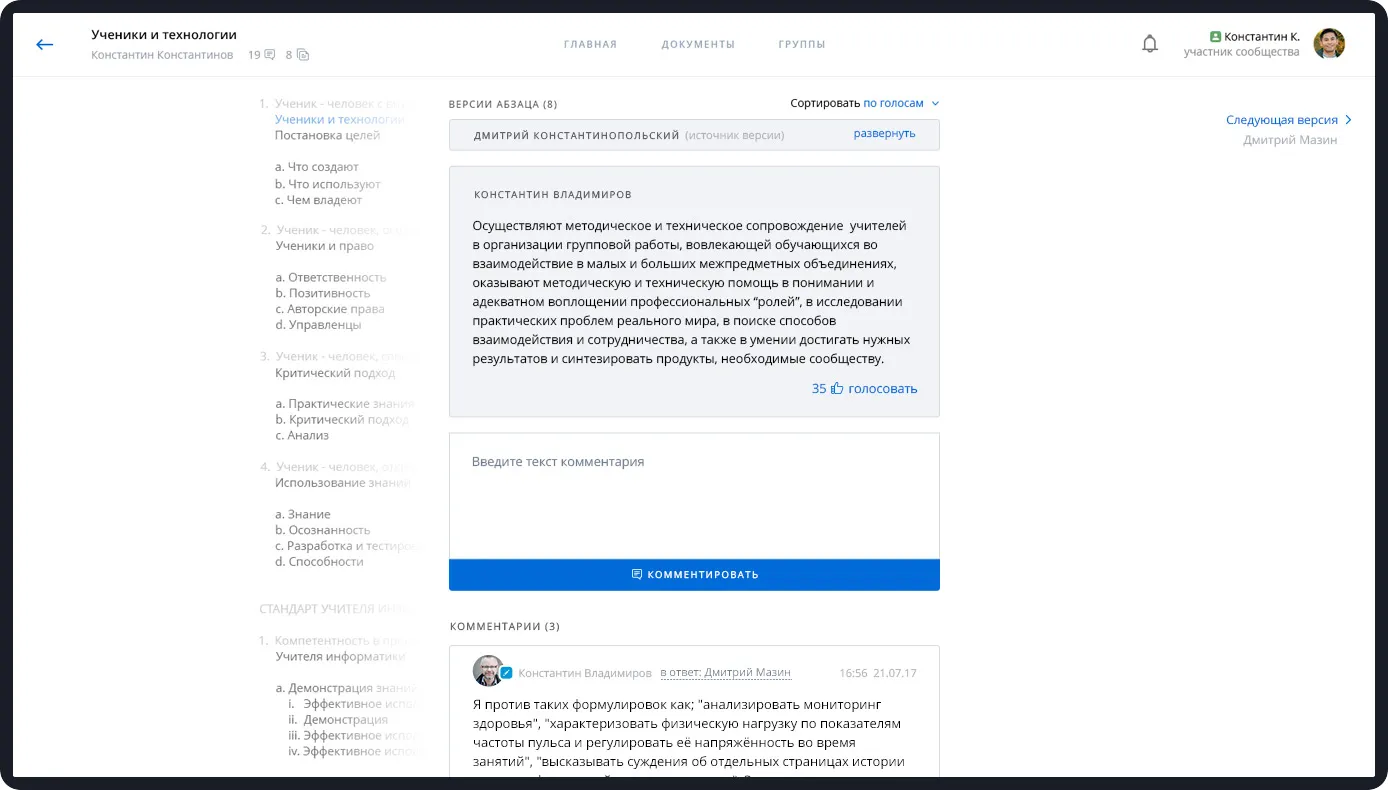
Screenshot of a Russian online comment section discussing educational topics with a user comment about supporting teachers and organizing group work.

отвечают на комментарии;

Screenshot of a Russian online discussion or collaboration platform showing a detailed comment by Konstantin Vladimirov on teacher support in group work, with navigation menus and other comments visible.

ставят лайки параграфам, которые считают оптимальными.
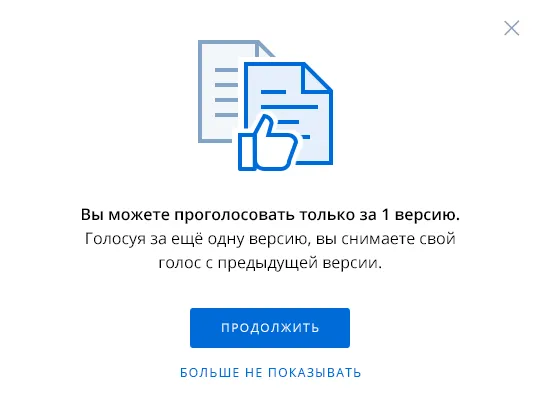
Dialog box with document icons and a thumbs-up graphic, Russian text about voting for only one version, a blue continue button, and a smaller link to not show again.
09

Silence mode

The owner of the document can suspend the process of completion when there are plenty of comments already and it is time to reassemble the document.
Two blue buttons with white icons and text; top button labeled 'Enable silence mode' with a speech bubble icon, bottom button labeled 'Save and create an assembly' with a checkbox icon, both showing cursor pointers.

Each group member gives one vote for a paragraph option or a document version, even if they didn't participate in the discussion. They can vote for their own suggestions.

Blue text showing numbers '34' and '5' followed by the word 'vote' with a black and white hand cursor clicking on 'vote'.
Two blue buttons with white icons and Russian text, one says 'включить период тишины' (enable quiet period) and the other 'сохранить и создать сборку' (save and create assembly), each with a pointing cursor.

Каждый участник группы отдает один голос за вариант параграфа или версию документа, даже если не принимал участия в обсуждении. За свои предложения голосовать можно.

Blue thumbs-up icon next to the Russian word 'голосовать' meaning 'vote' with a hand cursor pointing at it.
10

Document assembly

After the vote, the owner of the document assembles its second version – replaces the old paragraphs with the new ones with the most likes and, if necessary, edits the structure:

viewing paragraph versions
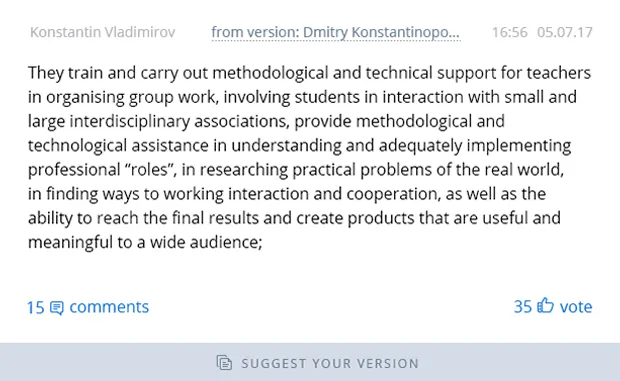
Text describing training and technical support for teachers in organizing group work, interdisciplinary collaboration, and methodical assistance to create meaningful products.Text by Konstantin Konstantinov explaining their role in providing methodological and technical support to teachers for organizing group work, interdisciplinary interaction, and practical problem research, dated 03.07.17 at 12:30.

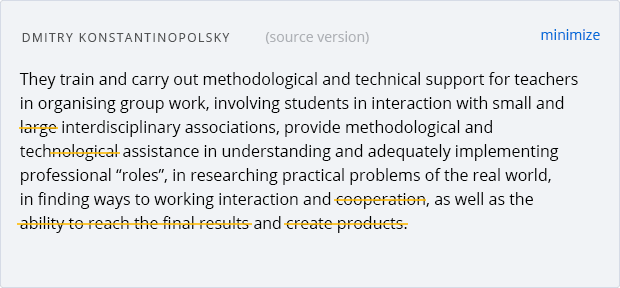
version edits

Text describing the role of Dmitry Konstantinopolsky in providing methodological and technical support to teachers for organizing group work and research on practical real-world problems.

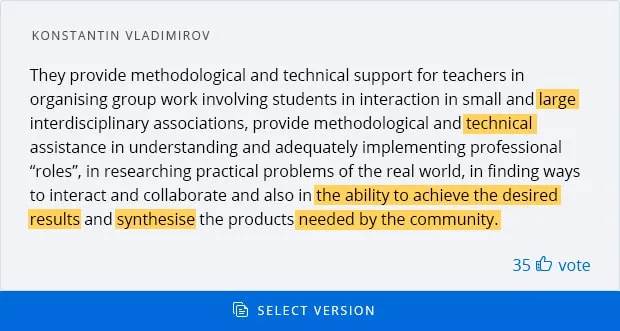
comments to the version

Text excerpt by Konstantin Vladimirov discussing methodological and technical support for teachers in group work and professional roles, with highlighted phrases about large interdisciplinary associations, technical, and the ability to achieve the desired results and synthesise products needed by the community.
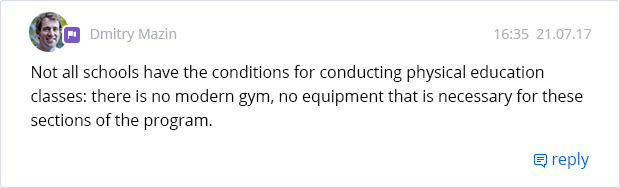
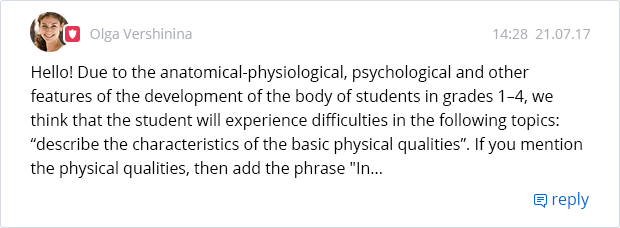
Comment by Konstantin Vladimirov opposing phrases like 'analyse health monitoring' and 'express judgments about individual pages of history'.Chat message from Dmitry Mazin stating that not all schools have conditions for physical education classes, lacking modern gyms and necessary equipment.A message from Olga Vershinina discussing the difficulties students in grades 1-4 might face in describing physical qualities due to anatomical and psychological development.

The second stage of improvements is based on the same principle:discussion – voting – assembly. And so on until everyone is satisfied with the final document.
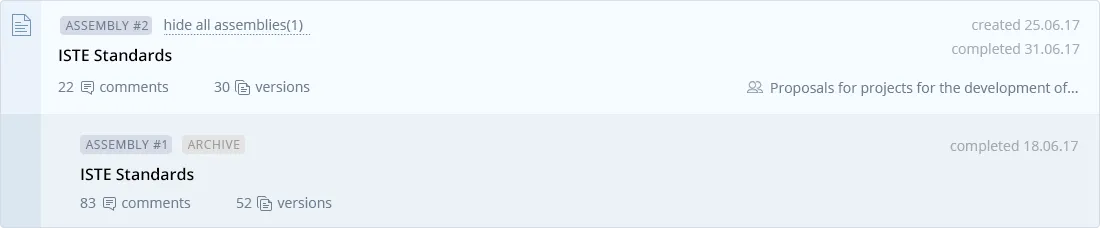
Two project assembly entries labeled ISTE Standards, showing comments, versions, creation and completion dates, and status tags like ASSEMBLY #1, ASSEMBLY #2, and ARCHIVE.

Вторая волна доработок проходит по тому же принципу: обсуждение — голосование — сборка. И так до тех пор, пока не появится документ, который удовлетворяет всех.
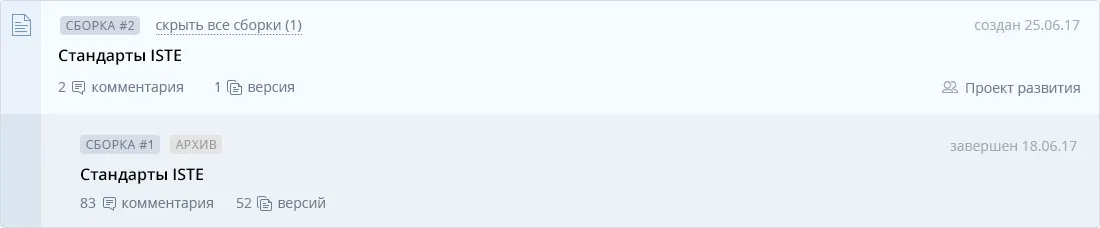
Two document entries titled 'Стандарты ISTE' showing comments, versions, and project status details in Russian.
11

DOwnloading

The finished document can be downloaded to a computer in Excel and JSON formats or printed directly from the system.
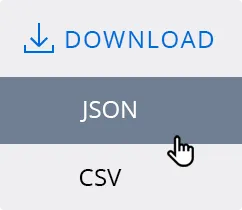
Download button with options for JSON and CSV file formats, with a cursor hovering over JSON.
12

Technical features

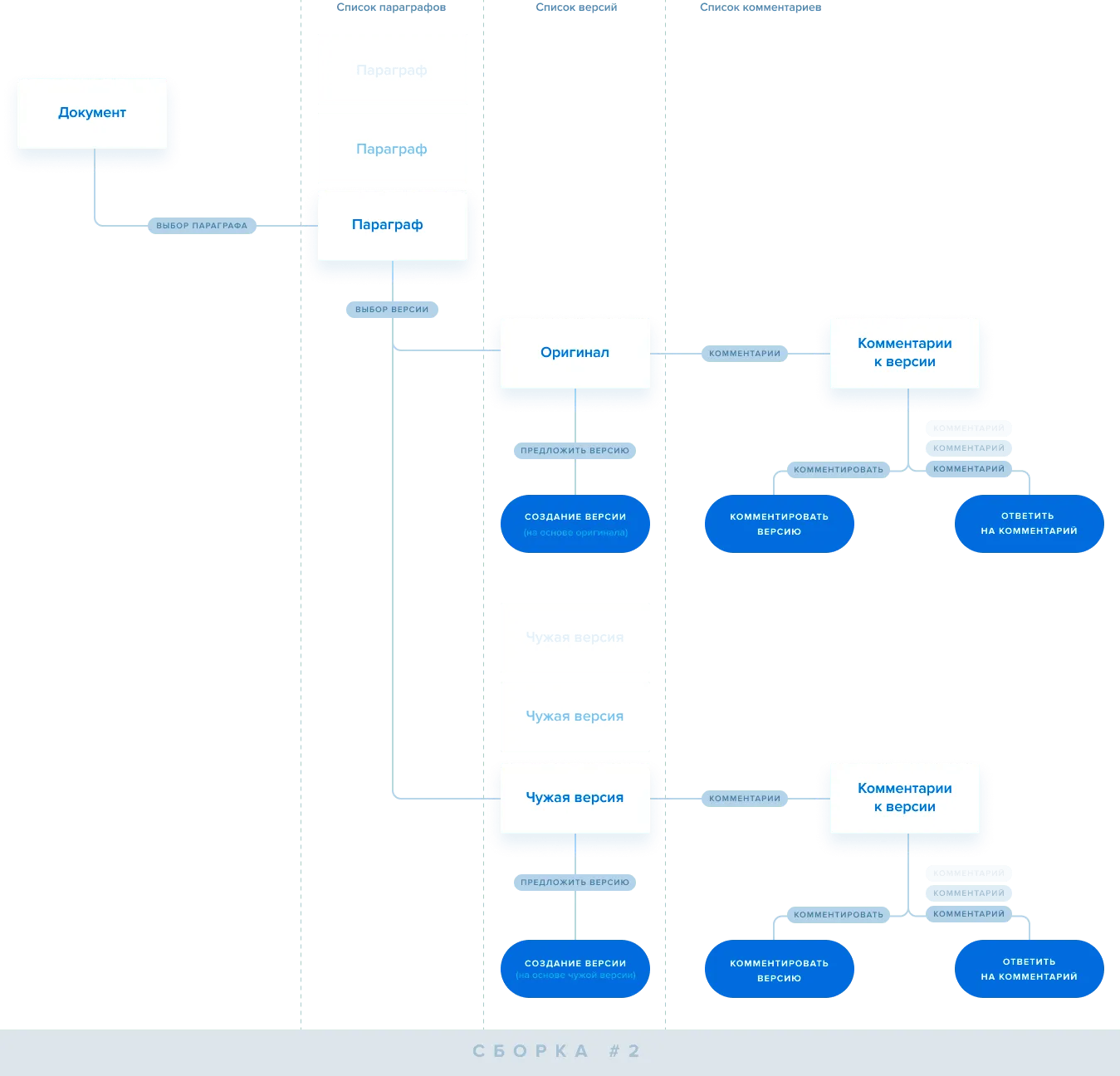
NOTO Expert is a huge branched tree with an unlimited number of levels:

  • — the document consists of paragraphs;
  • — versions are created based on paragraphs;
  • — each version can be evaluated, commented on, used as a basis for a new version;
  • — each comment can be answered.

And then the next new assembly can be created.
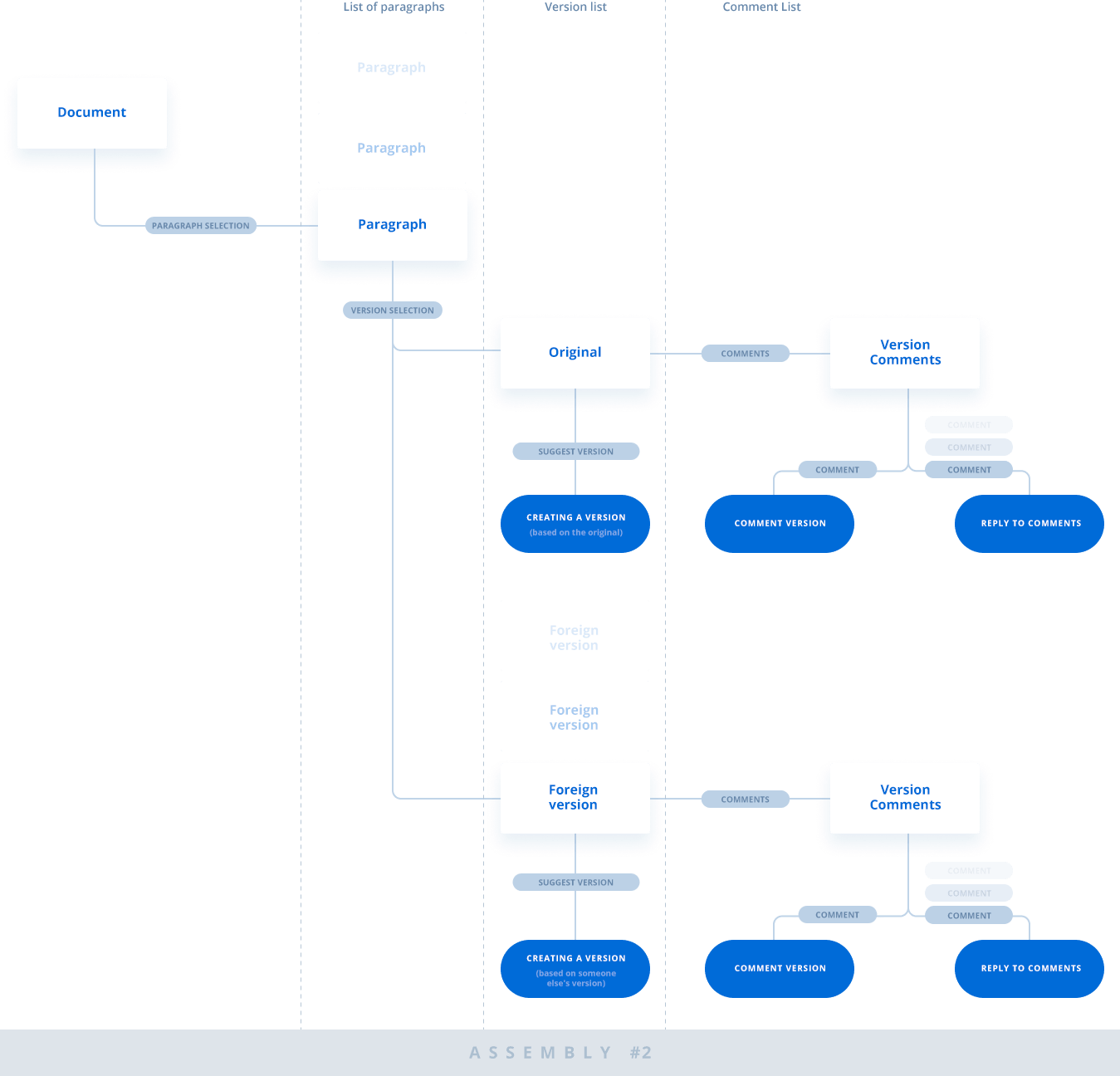
Flowchart showing document workflow from paragraph selection to version creation and commenting, with branches for original and foreign versions.
Flowchart showing document version control with paragraphs, original and foreign versions, creation of versions, and commenting processes in Russian.

To enable such a complex system work fast, we used:

Architectural section drawing in black and white illustrating various building components and structural details.
Server
Circular black frame with a green leaf icon inside, symbolizing a natural or eco-friendly concept.
Database
Code snippet showing three colored dots, a cyan circle with code brackets, an orange flame icon, and a yellow lightning bolt, representing React, Firebase, and Vite logos respectively.
Client
13

Mobile version

The mobile version works exactly the same as the desktop version.
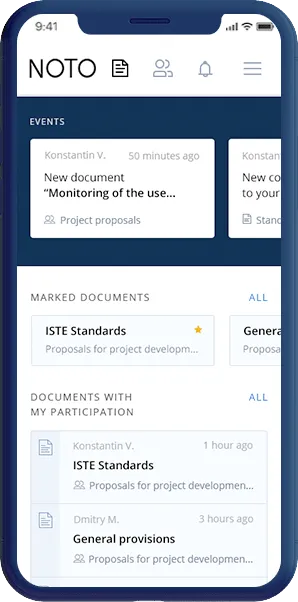
Smartphone screen displaying NOTO app interface with sections for events, marked documents, and documents with user participation, showing project proposal titles and timestamps.

homepage

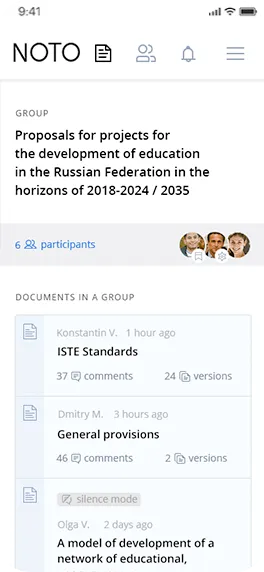
Mobile app screen showing a project group titled 'Proposals for projects for the development of education in the Russian Federation 2018-2024 / 2035' with 6 participants and a list of related documents including ISTE Standards and General provisions.

groups by profile

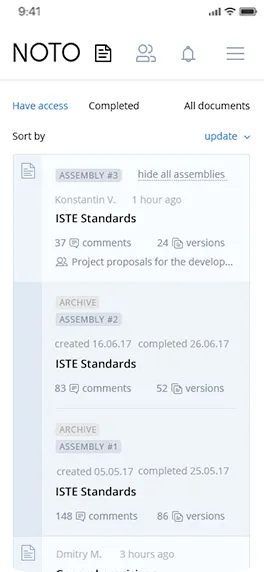
Mobile app interface showing a list of documents labeled Assembly #3, Assembly #2, and Assembly #1, each with ISTE Standards title, comments, versions, and project notes.

document assembly

All the functionality when working with documents is also available from any device.
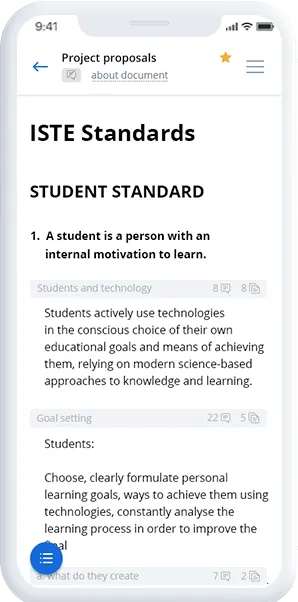
Mobile screen showing a project proposal document titled 'ISTE Standards' with sections on Student Standard, Students and technology, and Goal setting with descriptive text.

creating a document

Mobile screen displaying a discussion titled 'Students and technology' with a paragraph about teachers organizing group work and methodological support, showing comments and vote options.

paragraph versions

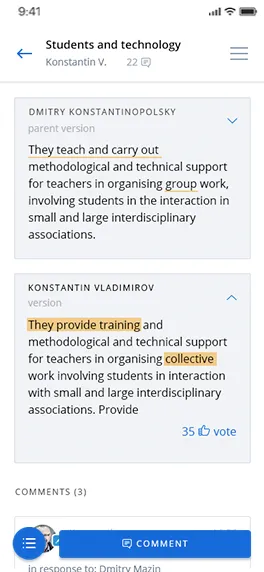
Mobile screen showing a discussion thread on 'Students and technology' with highlighted texts about teaching, training, and collaborative work.

making edits

14

Results

At the moment, NOTO Expert system performs the main functions.

White stylized document icon with lines and a folded corner on a blue background.

The members of NOTO can: Create groups and documents,
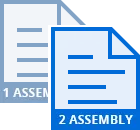
Two overlapping puzzle pieces labeled '1 ASSEMBLY' in light blue and '2 ASSEMBLY' in blue.

Suggest their own text options,

Blue thumbs-up icon overlapping a folded document icon.

Comment and vote for the best paragraphs and document versions,

Blue document icon with a gray clock symbol indicating history or recent files.

Approve the final document.

White stylized document icon with lines and a folded corner on a blue background.

участники НОТО создают группы
и документы;
Blue geometric shape with Russian text '1 СБО' in white on light gray background and '2 СБОРКА' in white on blue background.

участники НОТО создают;

Abstract blue geometric shape resembling a stylized upward arrow or staircase on a light blue background.

комментируют и голосуют
за лучшие параграфы
и версии документов;

Blue square with a smaller white square and blue shapes forming an abstract geometric design inside it.

утверждают финальный документ.

Logo

We also worked on the logo.The original logo didn't suit for several parameters:

  • — excessive;
  • — heterogeneous;
  • — not typographic;
  • — inconspicuous at low resolution.
Text reading 'HOTO' with a stylized tree-like circuit board forming the letter 'T' in a gradient from purple to red.

We have simplified the tree, left the successive appearance of the contact tracks of the circuit board, made the tree look more like the “T" letter.

Stylized tree made of purple circuit board lines on a black background.

We made the logo applicable on any media, got rid of the parasitic thickness differences and led it to a single module.
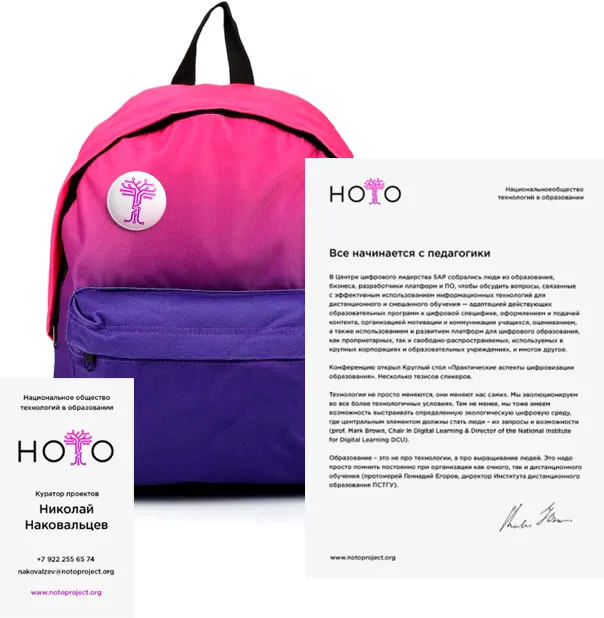
Bright pink and purple backpack with a round pin featuring a stylized tree logo, next to a letterhead and business card for Nikolay Nakovalcev of the National Society of Educational Technology.

Future perspective

We continue to refine the service so that users can:

Blue chat bubble icon with three horizontal lines inside it on white background.

send private messages to each other and chat within the system,

Blue calendar icon with grid squares inside a rounded square border.

view shared calendars and
add events to them,

Icon of five vertical bars of varying heights arranged in ascending order within a rounded square border.

conduct surveys and view response statistics.

15

Project team

Close-up of a man with a beard and mustache outdoors, with green grass and steps in the background.

consultant

Alexey Kulakov

Man with short black hair wearing a plaid shirt indoors with a white ceiling in the background.

MVP technical development manager

Sasha Kuznetsov

Smiling young person with light skin, blond hair, glasses, and a black shirt against a white background.

technical supervisor

Anton Fedorov

Black and white portrait of a man wearing sunglasses with a neutral expression.

project manager

Sergey Zherebtsov

Man with short dark hair and beard wearing a yellow hoodie looking upwards and to the left.

logo designer

Ivan Toropov

Smiling young man with short brown hair and a beard wearing a green shirt and blue jacket.

developer

Vanya Marchenko

Portrait of a woman with short brown hair, blue eyes, and a black polka-dot top against a gray background.

art director

Dasha Prokuda

Close-up of a man with light brown hair, beard, and mustache, looking at the camera in an indoor setting.

designer

Sergey Novoselov

Young man with short dark hair and a slight smile against a white background.

developer

Maxim Vigura

Smiling man with short dark hair and a beard wearing a red hoodie against a light background.

developer

Maxim Smirnov

Young man with short dark hair wearing a black jacket standing outdoors in a wooded area.

developer

Kostya Chukharev

Man with short black hair, glasses, and light facial hair wearing a gray shirt against a white background.

developer

Vova Sadchikov

Close-up of a man with a beard and mustache outdoors, with green grass and steps in the background.

Консультант, делал логотип

Алексей Кулаков

Man with short black hair wearing a plaid shirt indoors with a white ceiling in the background.

технический руководитель разработки MVP

Саша Кузнецов

Smiling young person with light skin, blond hair, glasses, and a black shirt against a white background.

технический руководитель

Саша Кузнецов

Black and white portrait of a man wearing sunglasses with a neutral expression.

менеджер проекта

Сергей Жеребцов

Portrait of a woman with short brown hair, blue eyes, and a black polka-dot top against a gray background.

арт-директор

Даша Прокуда

Close-up of a man with light brown hair, beard, and mustache, looking at the camera in an indoor setting.

дизайнер

Сергей Новоселов

Man with short dark hair and beard wearing a yellow hoodie looking upwards and to the left.

делал логотип

Ваня Торопов

Young man with short dark hair and a slight smile against a white background.

разработчик

Максим Вигура

Smiling man with short dark hair and a beard wearing a red hoodie against a light background.

разработчик

Максим Смирнов

Young man with short dark hair wearing a black jacket standing outdoors in a wooded area.

разработчик

Костя Чухарев

Smiling young man with short brown hair and a beard wearing a green shirt and blue jacket.

разработчик

Ваня Марченко

Man with short black hair, glasses, and light facial hair wearing a gray shirt against a white background.

разработчик

Вова Садчиков

Alexander,
Project Manager,
will shape the project scope
Let’s talk about your business goals

Leave your contact info,
and we'll get in touch shortly

Name:
Email:
Phone:
By clicking the submit button you agree to our Privacy Statement
Sent!
We’ll get back to you soon
Oops! Something went wrong while submitting the form.